Configure document numbering rules
Set how CCMonet generates document numbers for a module — prefix, date, separator and the next sequence number — with a live preview.
Numbering rules control how CCMonet builds the reference number on each new document — for example INV-20260915-0001. You set them per module in Module Settings. Numbering is available for Quotations, Sales Invoices, Purchase Orders, SOA, Payment Request and Journal Entry.
- You're an Owner.
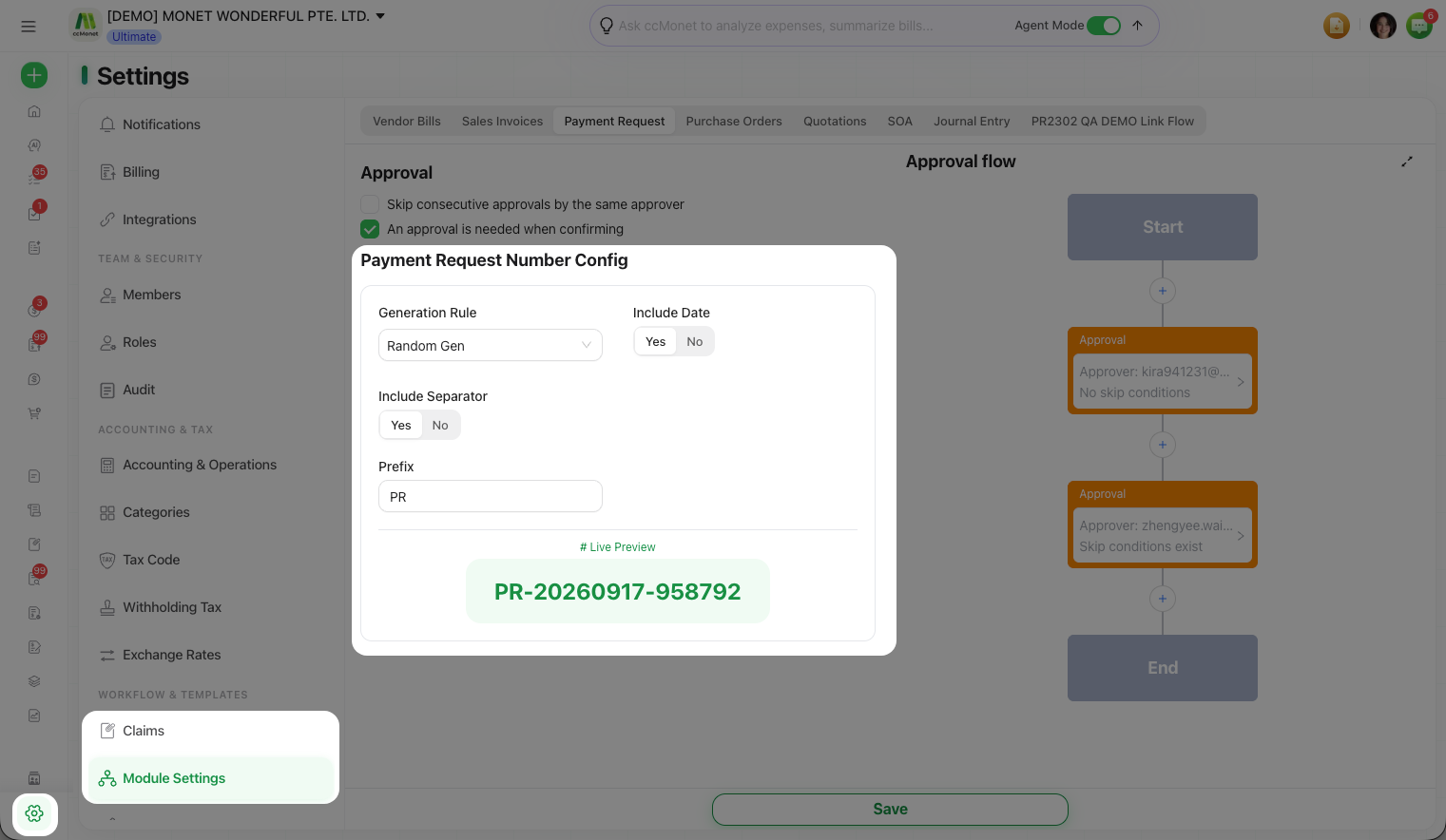
- Go to Settings → Module Settings and pick the module tab.
Set the rule
Choose a Generation Rule
Under the module's Number Config, pick how the sequence is generated:
| Generation Rule | Numbering runs… |
|---|---|
| Sequential by Organization | One running sequence for the whole organization |
| Sequential by Customer / Vendor | A separate sequence per customer or vendor |
| Random Gen | A random number instead of a running sequence |
(Payment Request and Journal Entry don't offer the customer/vendor option.)
Include a date and separator
Set Include Date to add today's date into the number, and Include Separator to join the parts with a - (turn it off for no separator).
Set the prefix
Enter a Prefix (for Sales Invoices this is the Invoice Prefix, e.g. INV). Sales Invoices also have a Credit Note Prefix (e.g. CN) for credit notes.
Set the next number
For a Sequential by Organization rule, enter the Next No. — the number the next document will take (e.g. 0001). It must be unique.
Check the Live Preview and save
The Live Preview shows exactly what the next number will look like as you type. When it's right, select Save.