Approvals
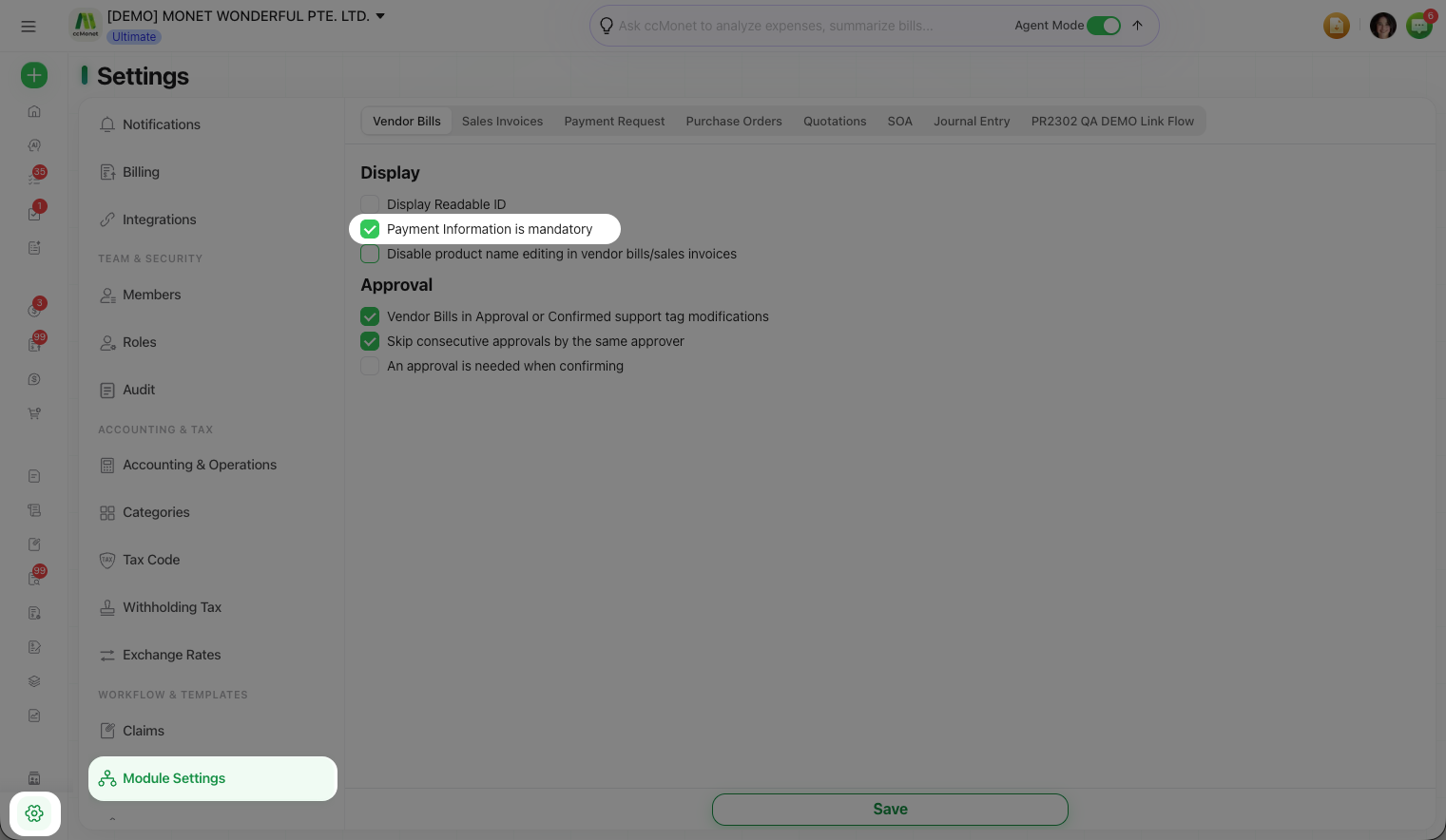
Make payment information mandatory before approval
Require payment details to be filled in on vendor bills so they can't be approved until the payment info is complete.
If you want to be sure every vendor bill carries its payment details before anyone signs off, you can make payment information mandatory. This is a per-module setting under Module Settings, on the Vendor Bills tab.
Before you start
- You're an Owner.
- Go to Settings → Module Settings and select the Vendor Bills tab.
Turn it on
Open the Display settings
On the Vendor Bills tab, find the Display group.
Require payment information
Tick Payment Information is mandatory.
Save
Select Save. Vendor bills now need their payment information completed before they can be approved.
Related display options
The Display group on a module tab holds a few other toggles you may find useful:
| Option | Effect |
|---|---|
| Display Readable ID | Shows the human-readable document ID |
| Disable product name editing in vendor bills / sales invoices | Locks product names against edits |
| Allow unfamiliar customers to submit POs to me | Lets customers you haven't set up send purchase orders (on the Purchase Orders tab) |