Set up an approval workflow for a module
Turn on approval for a module and build its approval flow — steps, approvers, conditional branches and CC — in Module Settings.
Module Settings is where owners decide, for each kind of document, whether it needs approval and who approves it. When a module has an approval flow, submitting a document of that type routes it to the Approval inbox instead of finalizing it straight away.
- You're an Owner.
- Go to Settings → Module Settings.
Turn on approval for a module
Pick the module
At the top, select the module tab you want to configure — for example Vendor Bills, Sales Invoices, Purchase Orders, Payment Request, Quotations, or one of your AI Form types.
Require approval
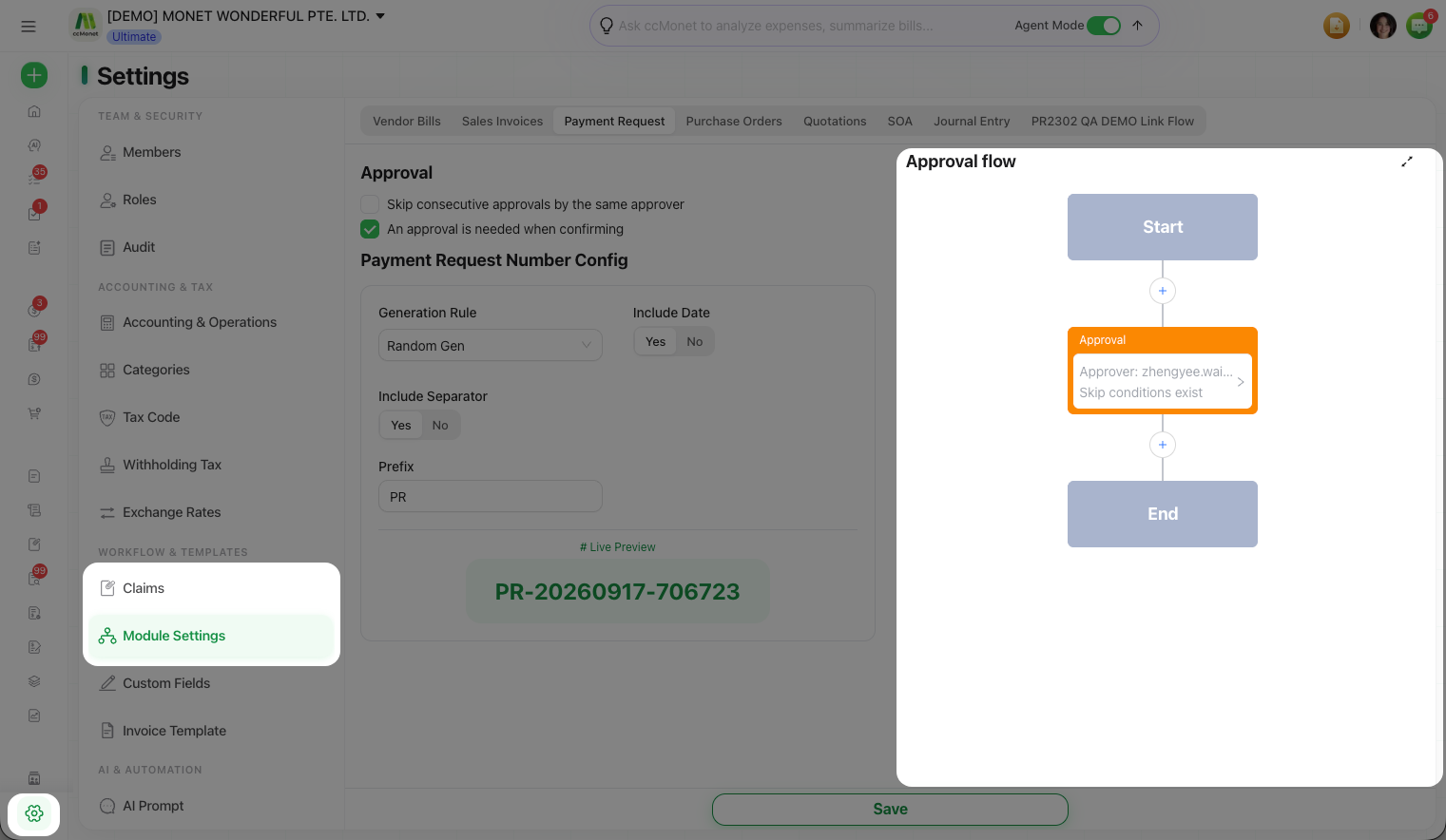
Under Approval, tick An approval is needed when confirming. This reveals the Approval flow builder for the module.
Save
Select Save. New documents of this type will now go through the flow.
Build the approval flow
The Approval flow is a visual builder that runs from a Start node to an End node. Between them you add the steps a document passes through.
Add approval steps
Add an Approval step for each round of sign-off, and assign one or more approvers to it.
Choose how each step is satisfied
For a step with more than one approver, decide whether it's a Joint approval (every approver must approve) or an Alternative approval (any one is enough).
Add conditional branches (optional)
Add a Conditional Branch to send documents down different paths depending on conditions. Each branch also has a Default Cases path that runs when no other branch's conditions are met.
Add CC (optional)
Add a Carbon Copy (CC) node so chosen members are notified of the document without being asked to approve it. They'll see it under Shared with Me in the inbox.
Save
Select Save. CCMonet checks that every step has an approver and every condition is set before it will save — a step that isn't fully configured is flagged.
Reduce redundant steps
Turn on Skip consecutive approvals by the same approver so that when the same person is the approver on back-to-back steps, they only have to approve once instead of repeatedly.