Reassign an approval to someone else
Hand an approval that's waiting on you to a different approver, with an optional note.
When an approval lands on you but should really be handled by someone else — you're out of office, or it's not your call — you can reassign it. Reassigning passes your place in the current step to another member; the document stays Under Review and continues from there.
- The document is Under Review and you're the current approver.
Reassign a document
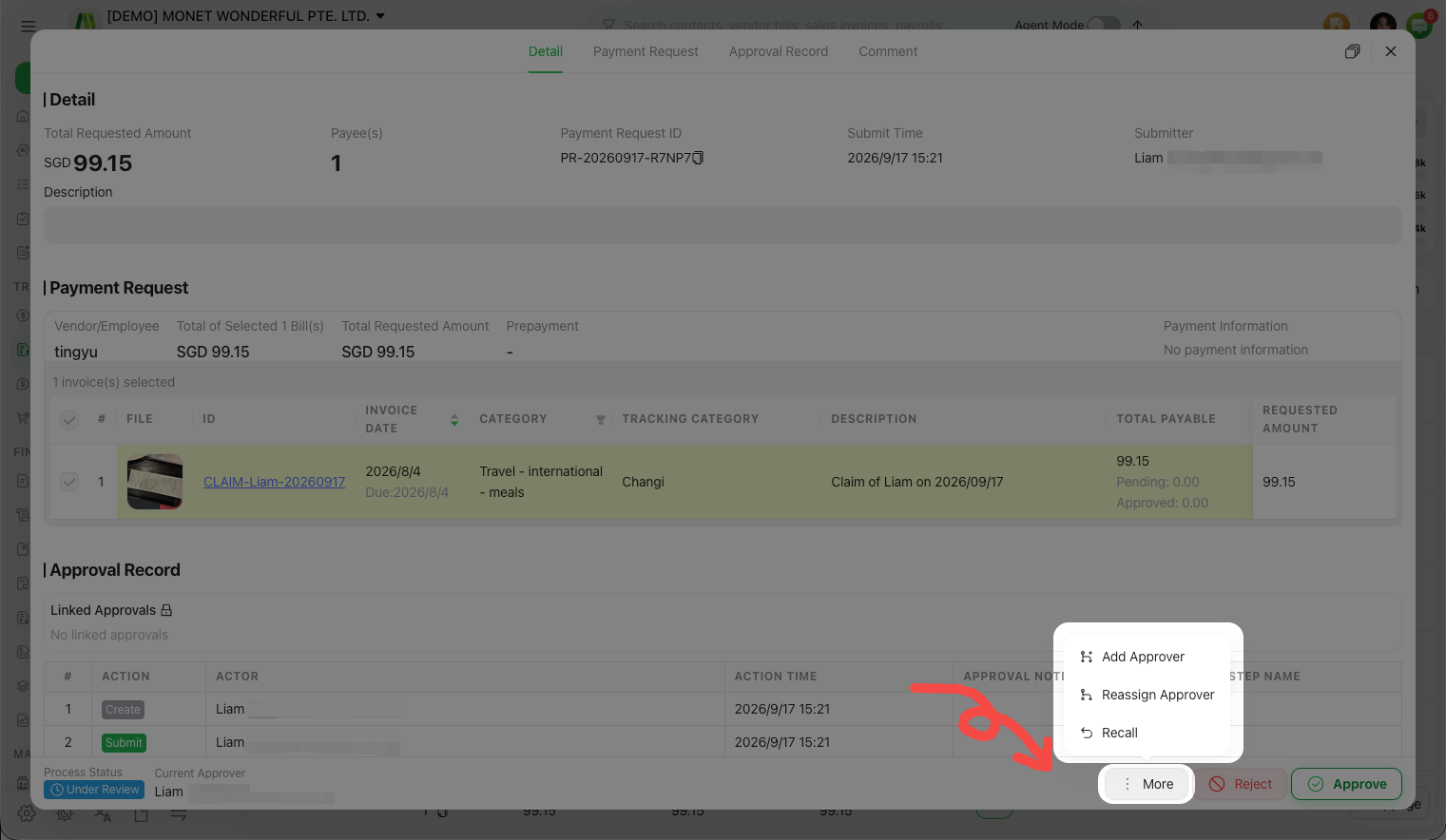
Open the document's actions
From the Approval inbox, open the document (or its More menu) and choose Reassign Approver.
Choose the new approver
Select an approver from your organization's members. You can't reassign a document to yourself.
Add a note and confirm
Optionally add a note explaining why, then Confirm. The document now waits on the person you chose instead of you.
Reassign vs add approver
- Reassign Approver replaces you on the current step — it moves off your list and onto theirs.
- Add Approver keeps you (and others) and brings an additional person into the step. See Add approvers to an in-flight approval.
To reassign many documents in one go, use the batch tools — see Batch-approve multiple documents.