Set up an amortization schedule
Spread a prepayment or deferred income across periods — set the amortization schedule on a bill or invoice line and let CCMonet generate the journal entries.
Some amounts on a bill or invoice belong to more than one period — an annual insurance premium you pay up front, or a year of service you invoice in advance. An amortization schedule spreads that amount across the periods it covers, so CCMonet releases it a bit at a time instead of all at once. You set it up on the line itself, and CCMonet generates the journal entries that do the spreading.
It applies to two kinds of line:
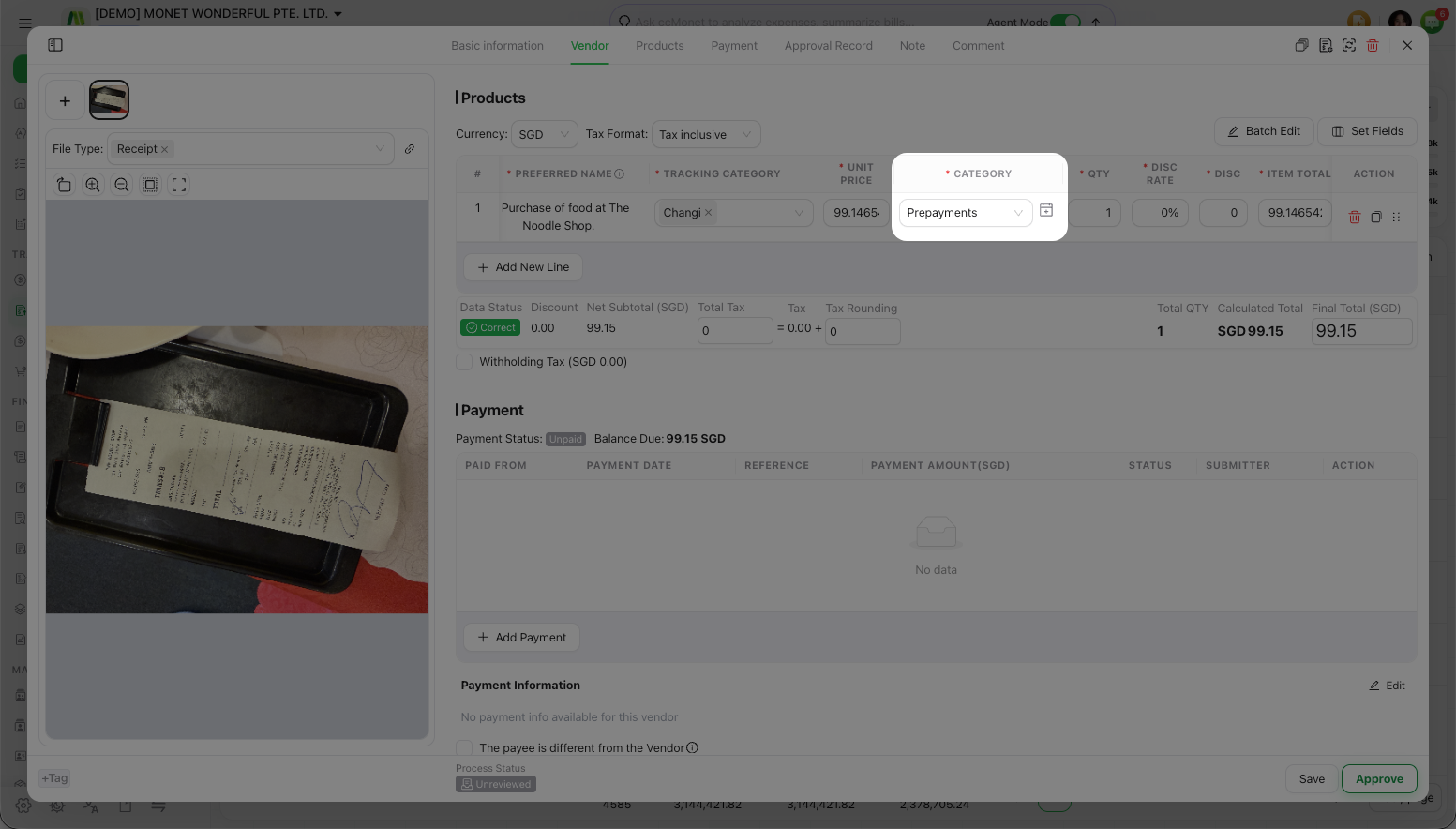
- On a vendor bill, a line coded to the Prepayment account (a prepaid expense you'll use up over time).
- On a sales invoice, a line coded to the Deferred income account (income you've been paid for but haven't earned yet).
The amortization button appears on a line only after two things are true: the bill or invoice has been saved, and the line is coded to the Prepayment or Deferred income account. If you don't see it, save the document first and check the line's category.
- The bill or invoice is saved, and the relevant line is coded to Prepayment (bills) or Deferred income (invoices).
Set up the schedule
Open the amortization schedule
On the saved line, select the amortization button to open the Amortization Schedule. (If the document has unsaved changes, CCMonet asks you to save the bill first.)
Set the start date, terms and method
Set the Start Date the schedule begins, the number of Terms (periods) to spread across, and the Amortization Method — see the methods below. You can add a Description that's applied to every entry.
Auto-generate the entries
Choose Auto-generate and CCMonet lays out the schedule of journal entries that spread the amount across your terms. You can also Add Entry to build the schedule by hand, or adjust individual rows — the entries must add up to the line total.
Confirm and apply
Review the generated entries, then choose Confirm and apply rules to save the schedule to the line.
Amortization methods
| Method | What it does |
|---|---|
| Full Month | Spreads the amount evenly across whole months. |
| Full Month (post to end of month) | Spreads evenly across whole months, posting each entry at the end of the month. |
| Daily Pro-rata | Splits the amount by the number of days in each period. |
An amortization schedule posts a series of journal entries that move the amount from the Prepayment or Deferred income account into your profit and loss over the term. Exactly which accounts are used, how each method splits the amount, and which start date and term are right depend on your accounting policy — CCMonet generates the entries, but confirm the treatment with your accountant.