Set your base currency and view exchange rates
Set your organization's base currency, add the currencies you trade in, and review the provider-supplied exchange rates behind multi-currency transactions.
If you trade in more than one currency, CCMonet records every transaction in your base currency and converts foreign-currency amounts using exchange rates. The Exchange Rates page is where you set that base currency, add the currencies you use, and review the rates that apply over time.
Exchange Rates lives under Settings → Exchange Rates. The rates here feed your multi-currency transactions and your foreign-exchange reports.
Exchange Rates is an Owner-only settings page (this includes Accountant and Bookkeeper service roles that act as owner).
Set your base currency
In CCMonet your base currency is your functional currency under IAS 21 — the currency your books are measured in, that everything is recorded and reported in. (IFRS separately lets an entity present its statements in a different presentation currency; CCMonet keeps a single base currency.) Set it here if it isn't already set as part of your company settings.
Your base currency underpins every figure in your accounts and is difficult to change once you've recorded transactions. Confirm it before you start entering data.
Add a currency and review rates
Add a currency
Add each foreign currency you trade in. Once added, its rate against your base currency becomes available to multi-currency transactions.
Select a currency to view its rates
Pick a currency to see its exchange rates against your base currency.
Review rates over a date range
View the rates across a date range — up to 366 days. The rates shown are supplied by CCMonet's rate provider.
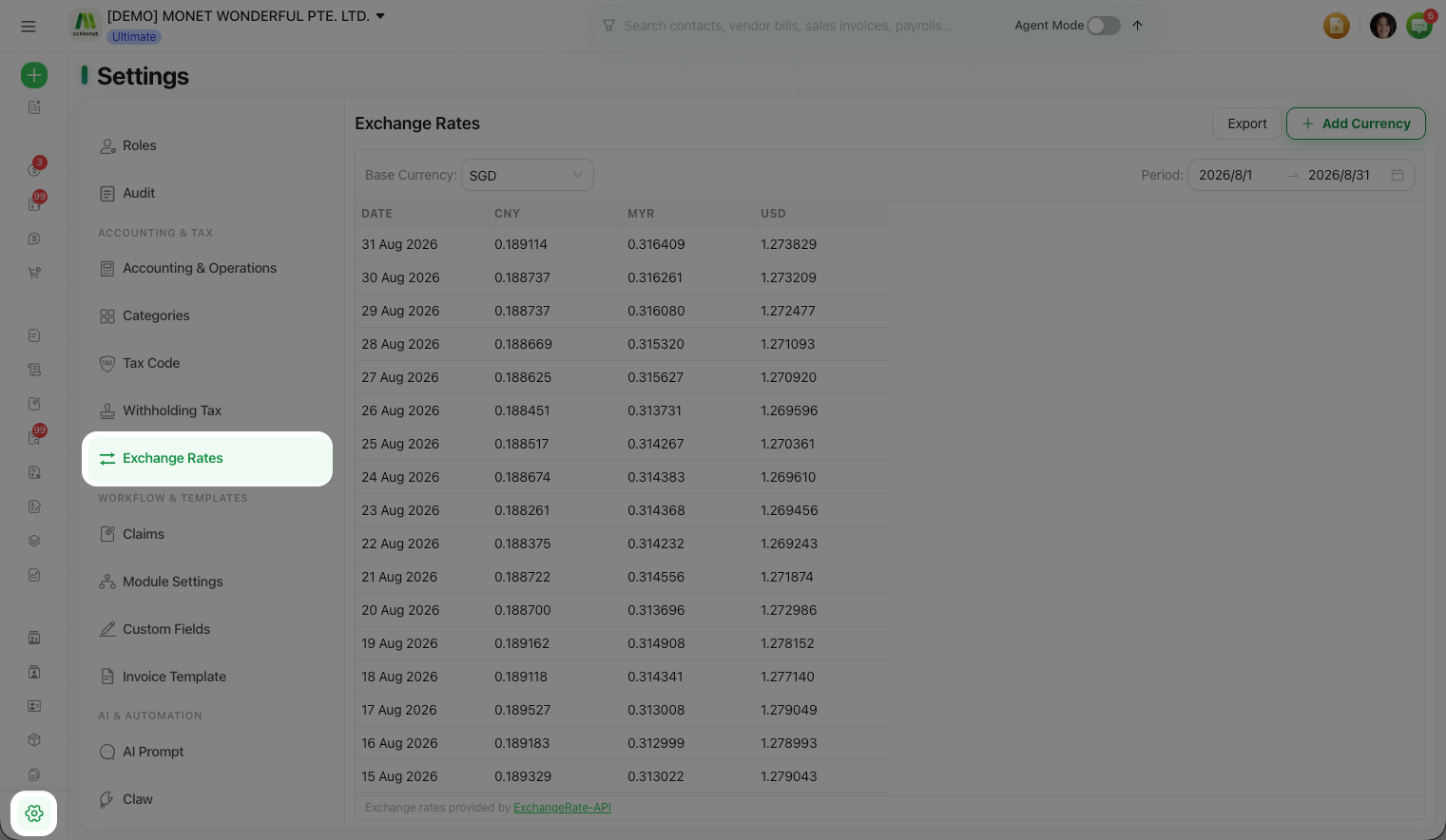
A currency that's already been used in your ledger stays pinned in the list — it can't be removed, because past transactions depend on it.
Under IAS 21, a foreign-currency transaction is first recorded in your functional currency at the spot rate on its date. At each period end, monetary balances (cash, receivables, payables) are remeasured at the closing rate, while non-monetary items stay at their original rate; the movement becomes a foreign-exchange gain or loss. CCMonet applies provider rates to convert amounts, value multi-currency balances and compute FX gain/loss — and a category's Revalue Open Balance option posts period-end remeasurement to Foreign Exchange Gain/Loss – Unrealized. Which rate applies to a given transaction, and how it lands in your FX figures, is a treatment to confirm with your accountant.