Clean up unused contacts
Deactivate or bulk-clear customers and vendors you no longer need to keep your lists tidy.
Over time a contact list fills up with records you no longer deal with — one-off customers, vendors you've stopped using, or contacts created during setup that never went anywhere. Tidying them up keeps your pickers short and your reports focused. CCMonet gives you two ways to do this, depending on whether the contact has any history.
Choose the right cleanup
| Option | Use it when | Effect |
|---|---|---|
| Set inactive | The contact has history you want to keep | Hides it from new-record pickers; past documents unchanged |
| Clear unused | You want to bulk-remove contacts nothing references | Removes every contact with no linked records in one action |
Deactivate a contact you still have history with
If a customer or vendor appears on past invoices or bills, don't delete them — set them inactive. They drop out of the pickers for new documents but stay intact on everything they're already on. Open the contact and set it inactive; reactivate it any time. This is covered in Manage your contacts.
Clear unused contacts in bulk
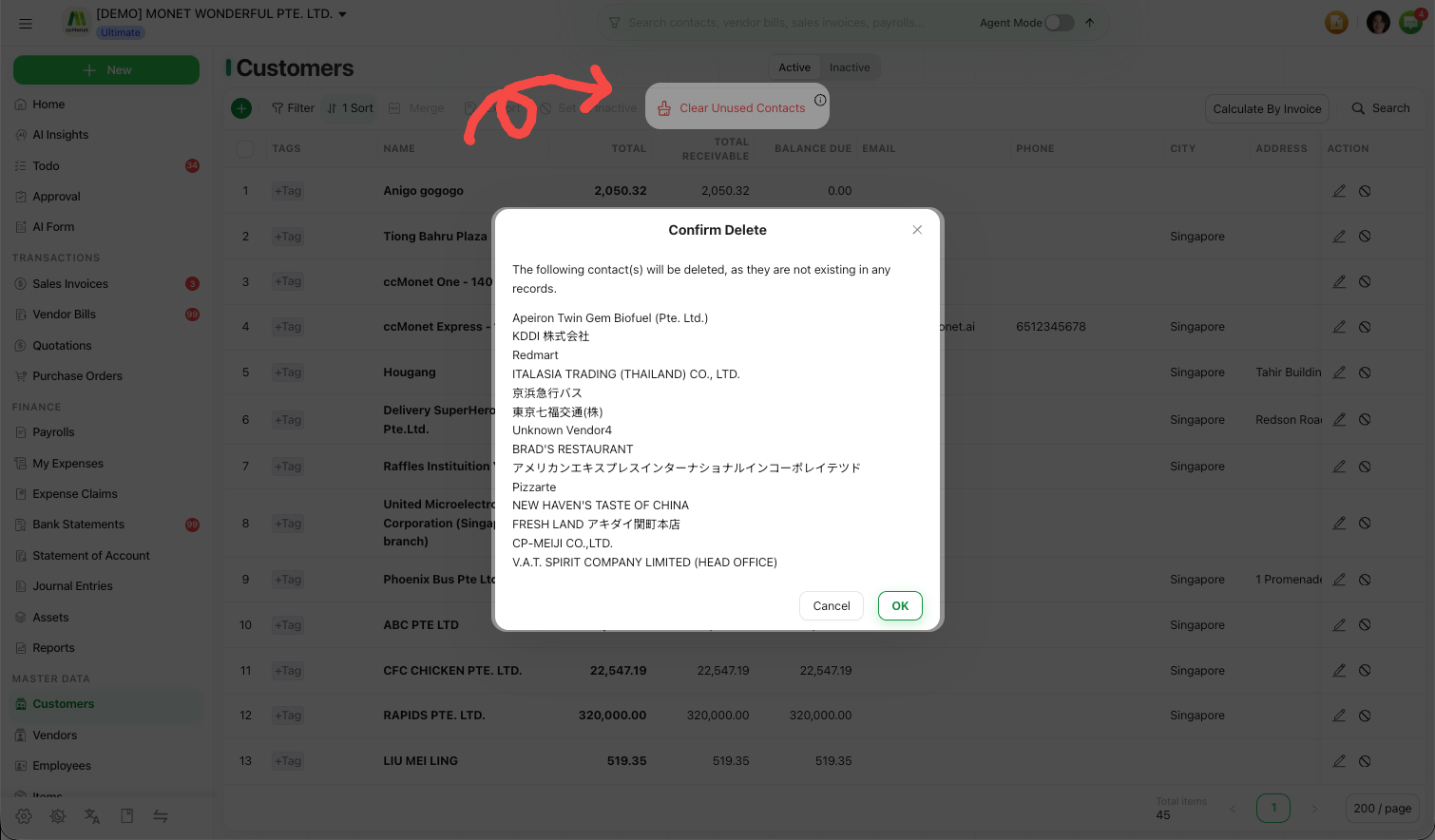
Open Clear Unused Contacts
In the left sidebar, under Master Data, open the Customers or Vendors list and choose Clear Unused Contacts.
Review what will be removed
CCMonet lists the contacts that have no linked records — the ones safe to remove. Review the list.
Confirm
Confirm to clear them. Contacts that are referenced by any document are left untouched.
Clearing removes contact records for good. When in doubt, set the contact inactive instead — you keep the history and can always bring it back.