Export your contact list
Download your customers or vendors as a file for backup, review or migration.
Export turns your contact list into a downloadable file — handy for backing up your master data, reviewing it in a spreadsheet, sharing it with your accountant, or moving it between organizations.
- You're on the Customers or Vendors list, under Master Data in the left sidebar.
Export contacts
Open the list
In the left sidebar, under Master Data, open Customers or Vendors, depending on which list you want to export.
Select the contacts to export
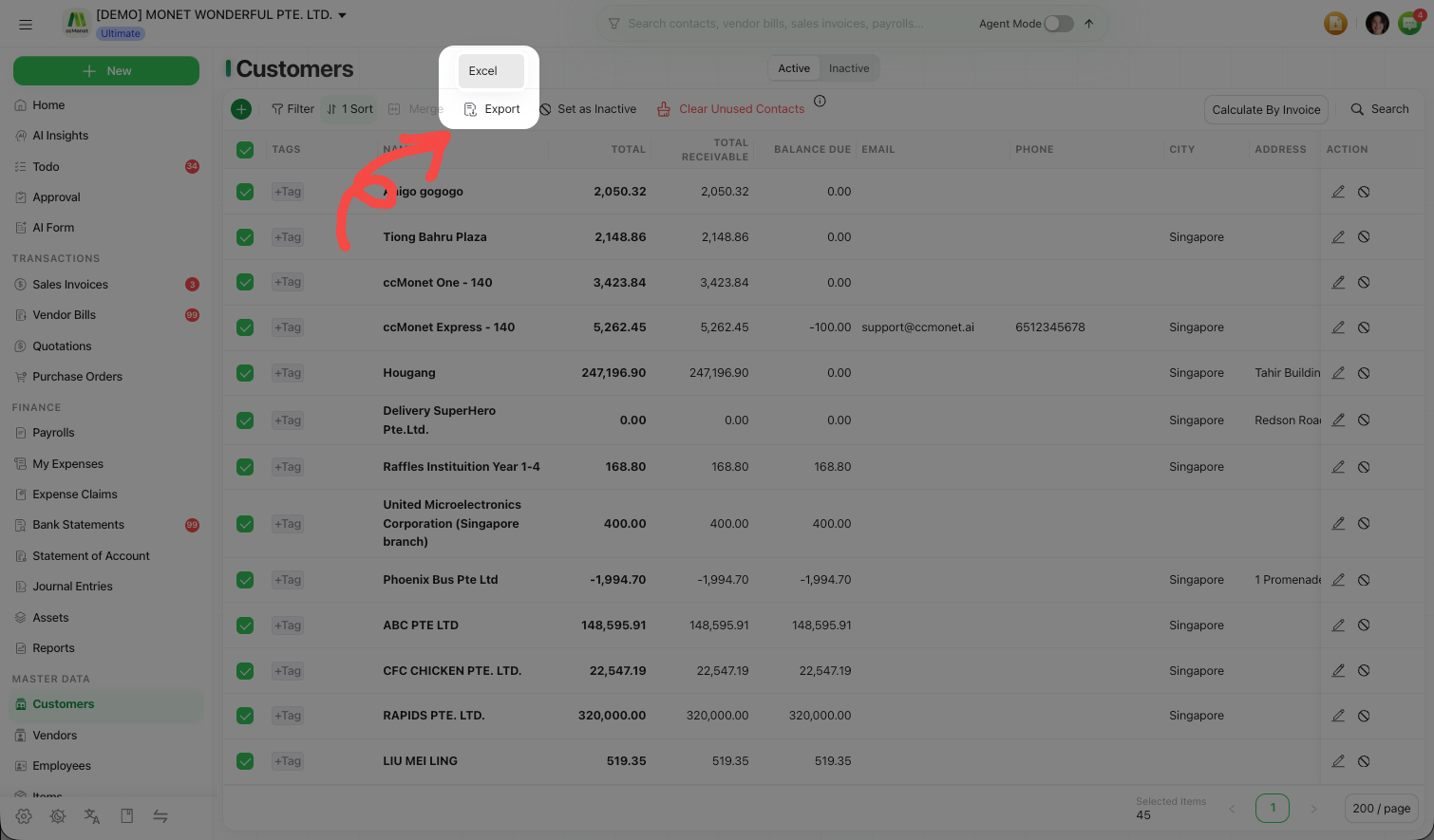
Tick the checkbox on each contact you want to include. The Export button stays disabled until at least one row is selected, and only the selected contacts are exported — so to export everything, select all rows first.
Export
Choose Export to download the selected contacts as an Excel file — names, contact information, tags and payment details.
Getting contacts back in
Export pairs with Import & Recognize: you can export your list, edit it in a spreadsheet, and import it back — or use the import on its own to set up many contacts at once. See Import contacts in bulk in Manage your contacts.
Keep an exported copy before a big cleanup — merging or clearing contacts can't be undone, so a recent export is a simple safety net.