Manage your products and items
Work with the product and item catalog — preferred names vs AI-recognized names, categories, and how sales and purchase products fit together.
Your product and item catalog is the master list of everything you buy and sell. It lives under Master Data → Items, with a toggle to switch between Sales and Purchase products. Keeping it tidy means cleaner price tracking, exports and reports.
Products vs items
CCMonet organizes this master data at two levels:
- Products — the consolidated record for a thing you buy or sell. Each product groups the ways that thing has been named across your documents under one Preferred Name.
- Items — the individual product lines as they appear on invoices and bills, each with its SKU, name, unit price, quantity, discount and tax rate.
A product is the tidy master record; items are the raw lines that roll up into it.
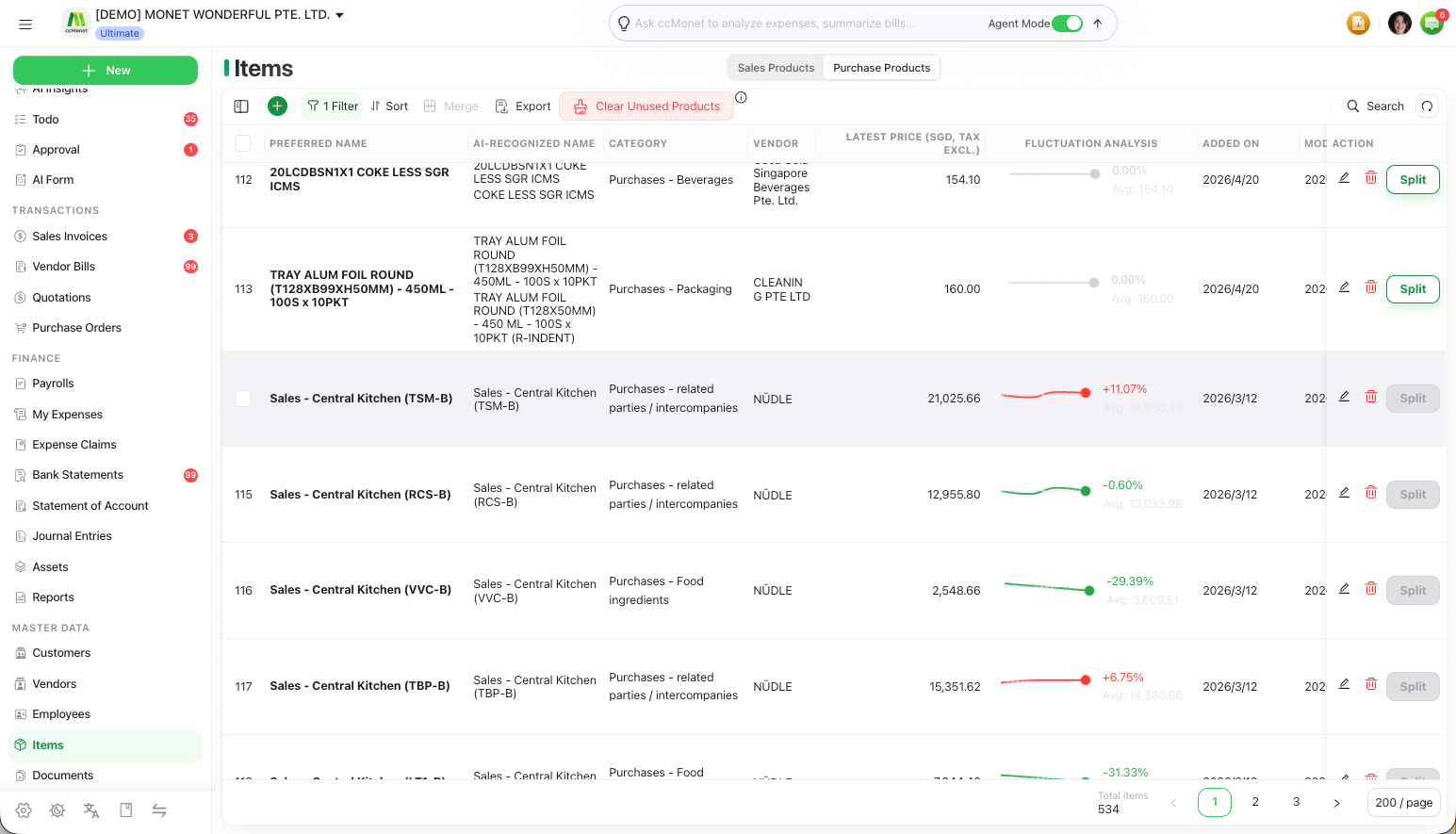
Preferred name vs AI-recognized name
When CCMonet captures a bill or invoice, it reads whatever product name appears on the document — so the same thing can arrive as "A4 Paper 80gsm", "A4 PAPER" and "Paper A4" on three different bills. These are the AI-recognized names.
The Preferred Name is the single, clean name you choose for that product. Grouping the recognized variants under one preferred name is what lets CCMonet track the product's price over time and represent it consistently in exports and integrations.
To set a preferred name, open a product and edit it, or bring several recognized names together — see Merge duplicate products. On purchase items you can also set a preferred vendor for a product.
Add or edit a product
Open the catalog
In the left sidebar, under Master Data, open Items and choose the Sales or Purchase side.
Add or open a product
Select the + button to add a product (if a menu opens, choose Create), or click a row to open and Edit an existing one.
Set the name and category
Give it a clear preferred name and assign a category. The category is how the product is classified on your documents and reports.
Save
Save the product. It's now available to pick on new invoices or bills, and its recognized variants roll up to it.