Clean up unused products
Remove products that no records reference to keep your item catalog focused.
As recognition creates products from documents, the catalog can collect entries that nothing actually uses — stray recognized names, test products, or one-offs. Clearing unused products removes the ones no record references, so the catalog you pick from stays short and relevant.
- You're on the Items catalog, under Master Data in the left sidebar.
Clear unused products
Open the catalog
In the left sidebar, under Master Data, open Items and choose the Sales or Purchase side.
Open Clear Unused
Choose Clear Unused Products. CCMonet lists the products with no linked records — the ones safe to remove.
Review and confirm
Review the list and confirm. Products used on any invoice, bill or item line are left untouched.
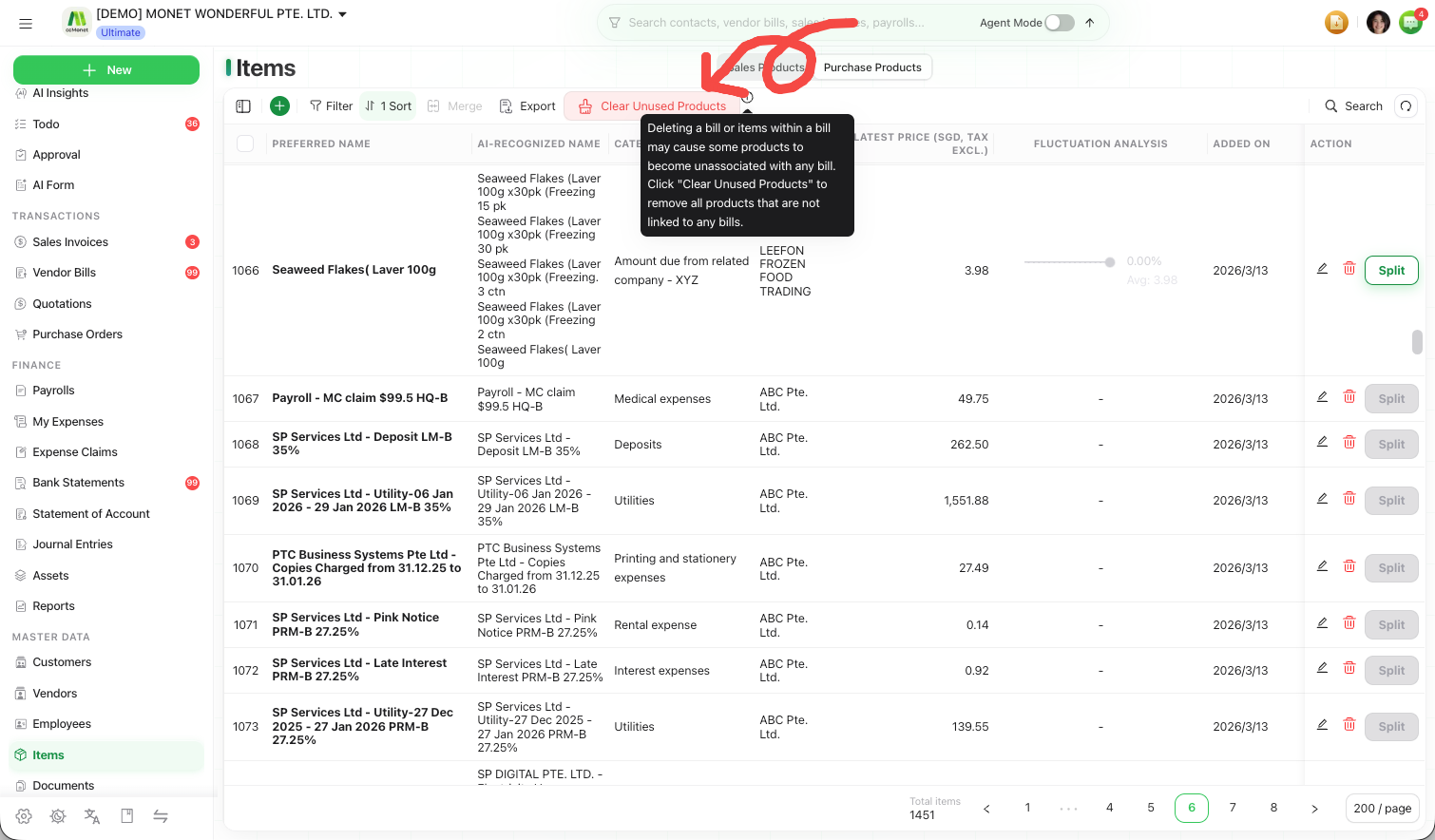
Delete a single product
To remove just one product, select the trash icon in its row's action column and confirm. This only works when the product has no linked records — if it appears on any document, CCMonet keeps it so that history stays intact.
Clearing and deleting remove products for good. If a product carries useful price history, consider merging it into the right product instead of removing it — see Merge duplicate products.