Dispose of a fixed asset
Dispose of an asset by sale or as scrap, donation or theft, then generate, review and post the disposal journal.
When you sell, scrap, give away or lose an asset, you dispose of it so it comes off your books. CCMonet captures the disposal, previews the double-entry journal, and posts it once you confirm.
- You can find the asset in the register — see View your fixed asset register.
Record the disposal
Open Dispose
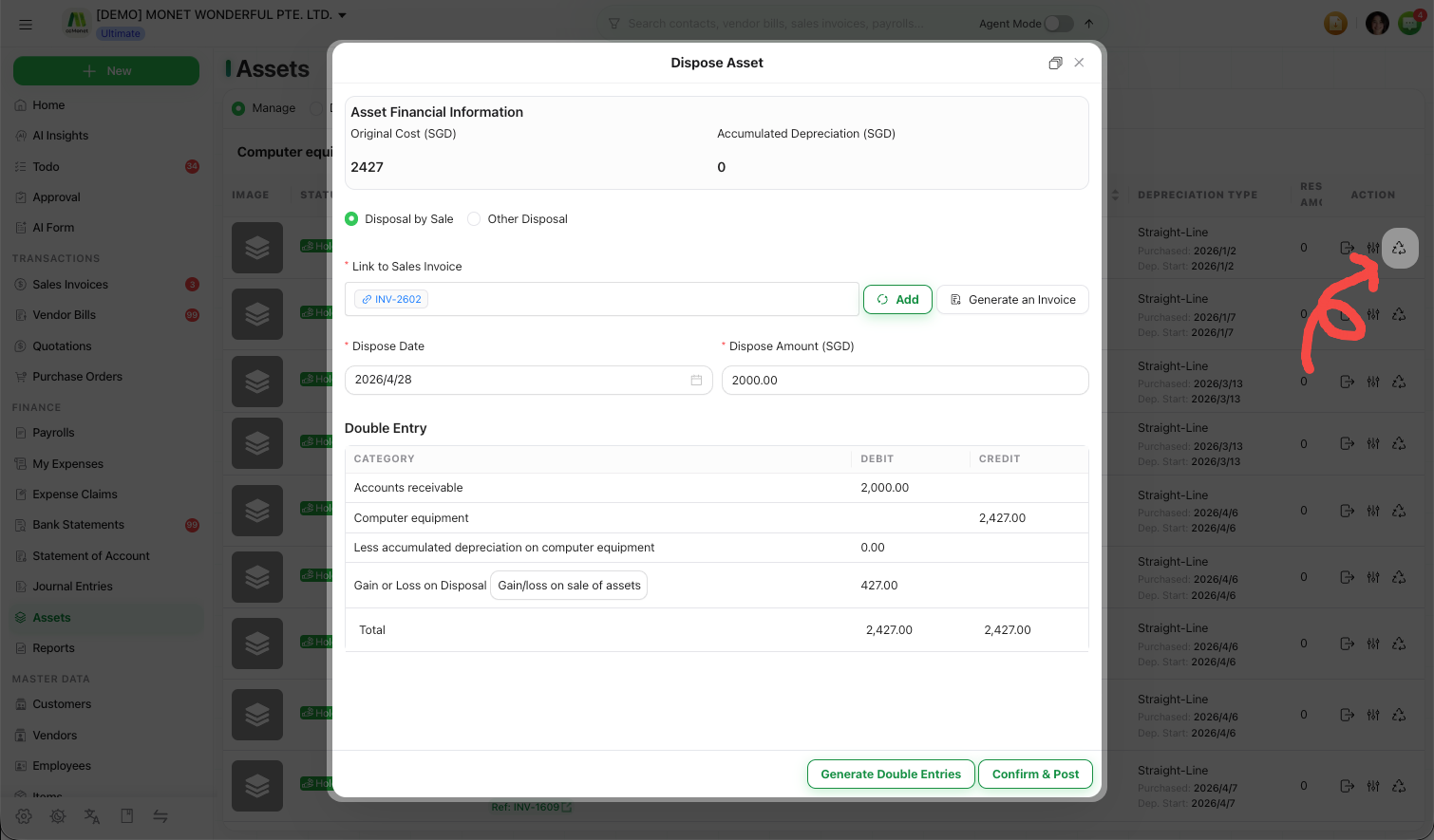
On the asset's row Action menu, select Dispose. The drawer shows the asset's financial information — its Original Cost and Accumulated Depreciation.
Choose the disposal type
Pick how the asset left:
- Disposal by Sale — you sold it. You can Link to Sales Invoice and enter the proceeds.
- Other Disposal — then choose a Dispose Type: Scrap, Donation, Theft or Other, and pick a Dispose Category.
Enter the details
Set the Dispose Date and, for a sale, the Dispose Amount (proceeds). Add a Note for other disposals if useful.
Review and post the journal
Generate the double entries
Select Generate Double Entries. CCMonet builds the disposal journal and shows it as a Category / Debit / Credit table with a total row. A sale that results in a gain or loss uses the gain/loss category you select.
Check the entries balance
Review the previewed lines and confirm the debit and credit totals agree before posting.
Confirm & Post
Select Confirm & Post. The disposal journal is posted and the asset is marked Disposed in the register. (You must generate the entries before this becomes available.)
The disposal journal removes the asset's original cost and its accumulated depreciation, records any proceeds, and books the resulting gain or loss to the category you choose. CCMonet generates these entries for you, but the correct gain/loss account and the treatment of a sale, scrap, donation or theft in your jurisdiction should be confirmed with your accountant before you post.