What happens to fixed assets when you revoke a bill
Understand the impact confirmation that appears when you revoke a bill that created fixed assets, including deletion, depreciation reversal and flagged assets.
Because assets are recognized from confirmed vendor bills, revoking such a bill has knock-on effects on the assets it created. Before the revoke goes through, CCMonet shows an impact confirmation so you know exactly what will happen.
- You're revoking a bill from the bill/expenses flow — see Purchases & Expenses.
Read the impact confirmation
When the bill created one or more fixed assets, the Confirm asset deletion dialog appears. It tells you:
- How many fixed assets will be deleted.
- How much accumulated depreciation will be reversed, and the original value involved.
- Which assets need extra attention — assets already tagged Disposed or Moved are flagged, since revoking touches assets that have since changed.
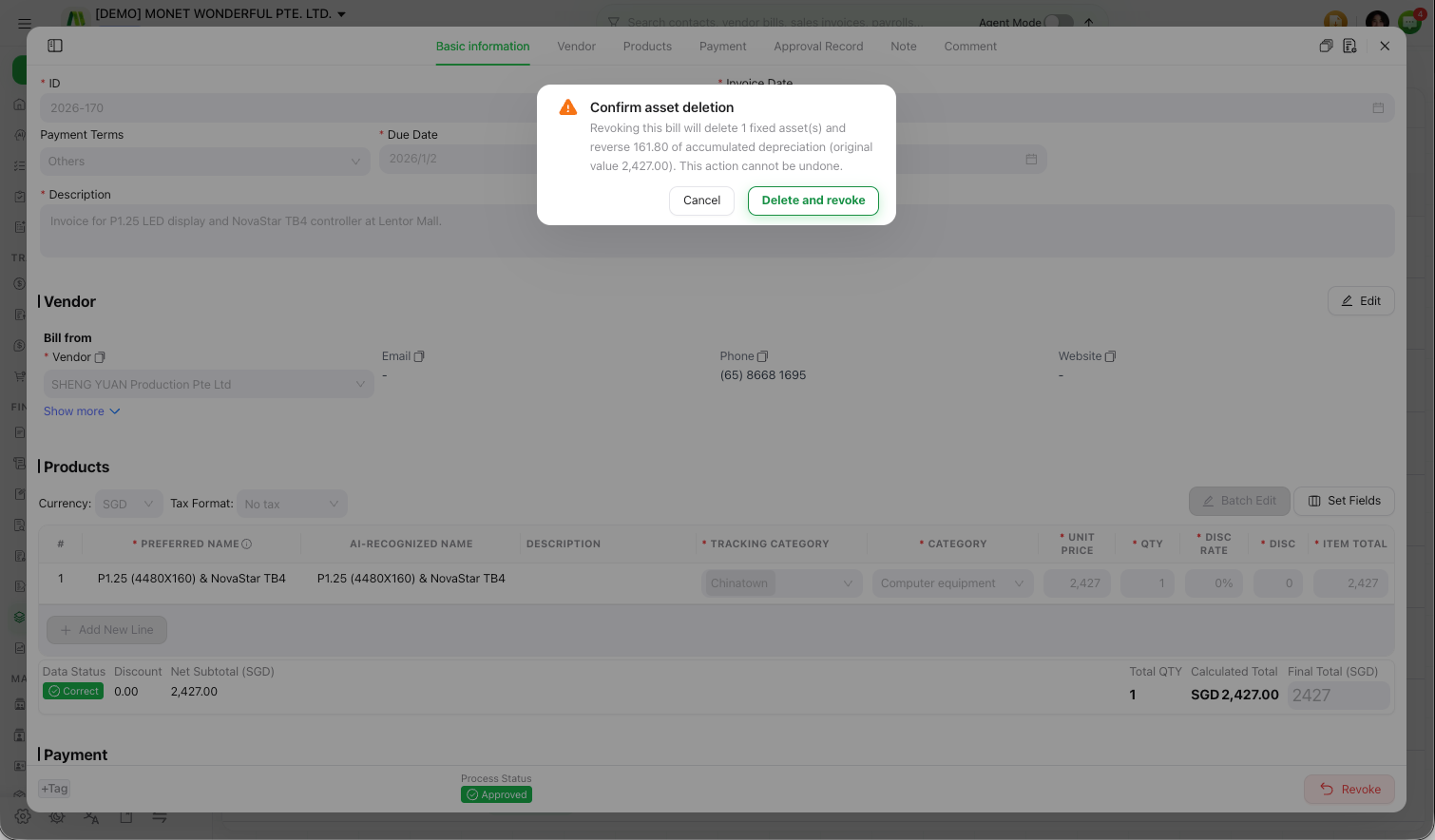
Confirm or cancel
Review the counts and flags
Check the number of assets, the depreciation to be reversed, and any Disposed or Moved flags.
Decide
Select Delete and revoke to proceed, or cancel to leave the bill and its assets untouched.
This action cannot be undone. Revoking deletes the associated fixed asset(s) and reverses their accumulated depreciation. If any of them are already disposed or moved, review those carefully before confirming.
Revoking a bill deletes the assets it created and reverses the accumulated depreciation those assets had posted, which changes your general ledger. Because this unwinds prior depreciation and asset balances — and may affect assets that have since been disposed of or moved — confirm the accounting impact with your accountant before you delete and revoke.