Read the depreciation table and net book value
Use the Depreciation Table view to see accumulated depreciation and net book value as at a date, and export the depreciation schedule.
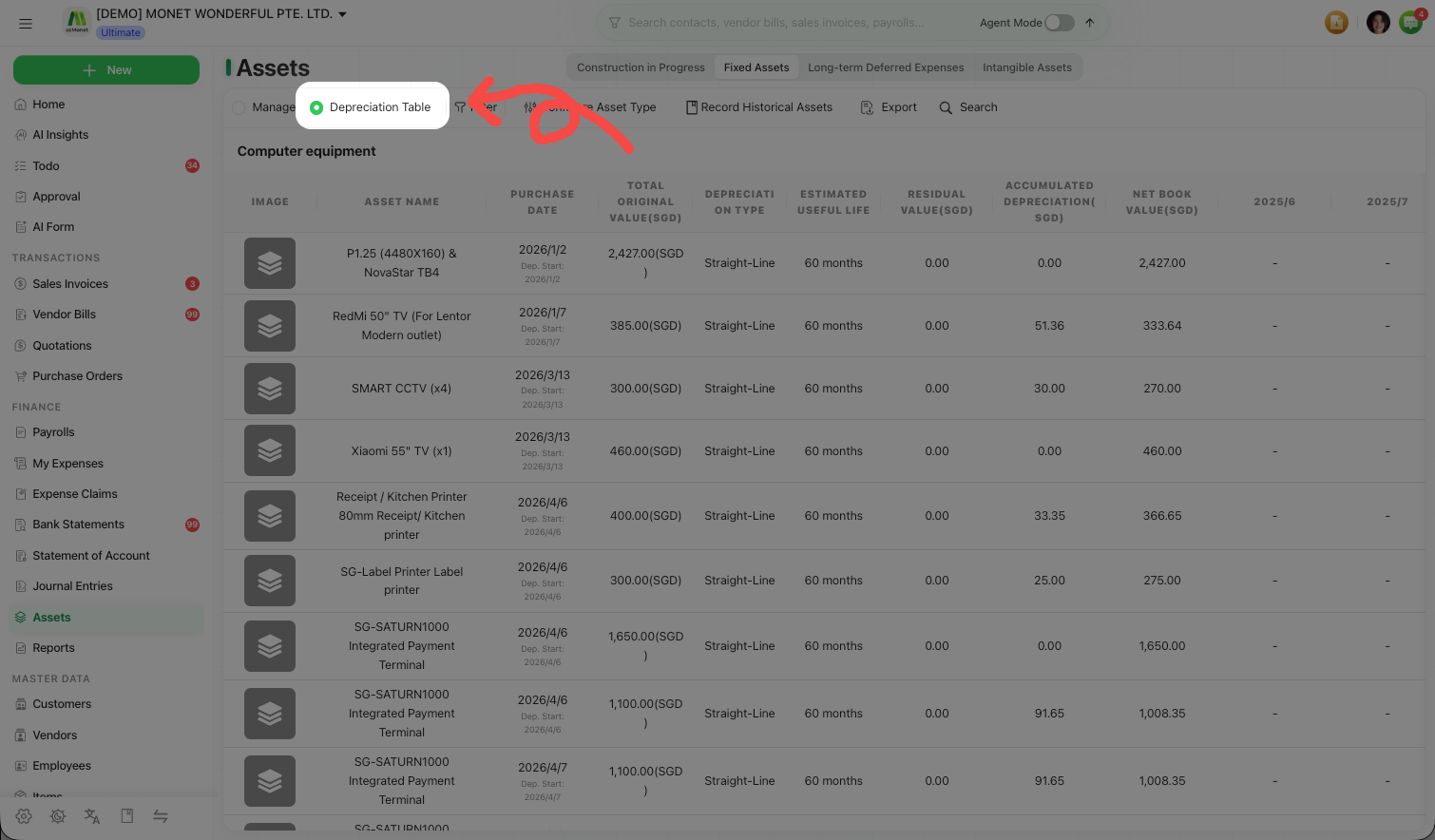
The Depreciation Table view turns the register into a depreciation schedule: for each asset and category it shows how much has been depreciated and what the asset is worth on the books. In the left sidebar, open Finance → Assets and switch the Manage / Depreciation Table toggle to Depreciation Table.
Read the table
Switch to the Depreciation Table view
Use the toggle at the top of the Assets page. The table lists assets by category, with a Total Assets summary row.
Read the key columns
For each asset you'll see:
| Column | Meaning |
|---|---|
| Purchase Date | When the asset was acquired. |
| Total Original Value | The original cost. |
| Depreciation Type | Straight-Line, Double Declining or No Depreciation. |
| Estimated Useful Life | The depreciation period. |
| Residual Value | The residual set by the category. |
| Accumulated Depreciation | Depreciation charged to date. |
| Net Book Value | Original value less accumulated depreciation. |
Period columns then break the depreciation down month by month across the schedule.
Filter as at a date
Use As at (date) to see accumulated depreciation and net book value as of a chosen point in time.
Export a depreciation schedule
Select Export
While on the Depreciation Table view, select Export. Export is available once the table has data.
Collect the file from your exports
CCMonet builds the export and adds it to your export history, from where you can download it. The export reflects the current category tab and any filter you've applied.
Accumulated depreciation and net book value are calculated from each asset's method, useful life and residual value, and the As at (date) figures reflect depreciation up to that date. CCMonet performs the calculation; whether the resulting figures are correct for your reporting and how they should appear in your statements is best confirmed with your accountant.