Confirm or reject an AI-suggested match
Review CCMonet's AI Match suggestions and accept or reject them, one at a time or in bulk.
AI Match reads your unreconciled transactions and proposes the record each one belongs to. You stay in control: nothing is reconciled until you confirm it.
- You're on the Reconcile tab with a bank account selected.
Run AI Match and review
Run AI Match
Select AI Match on the account. CCMonet analyzes the unreconciled transactions and shows a suggested match against each one it recognizes.
Confirm the good ones
For each suggestion that's correct, confirm it — the transaction is reconciled.
Reject the wrong ones
If a suggestion is wrong, reject it. The transaction goes back to unmatched so you can match it yourself.
Batch-confirm the rest
Select several correct suggestions and batch-confirm them together to clear them in one go.
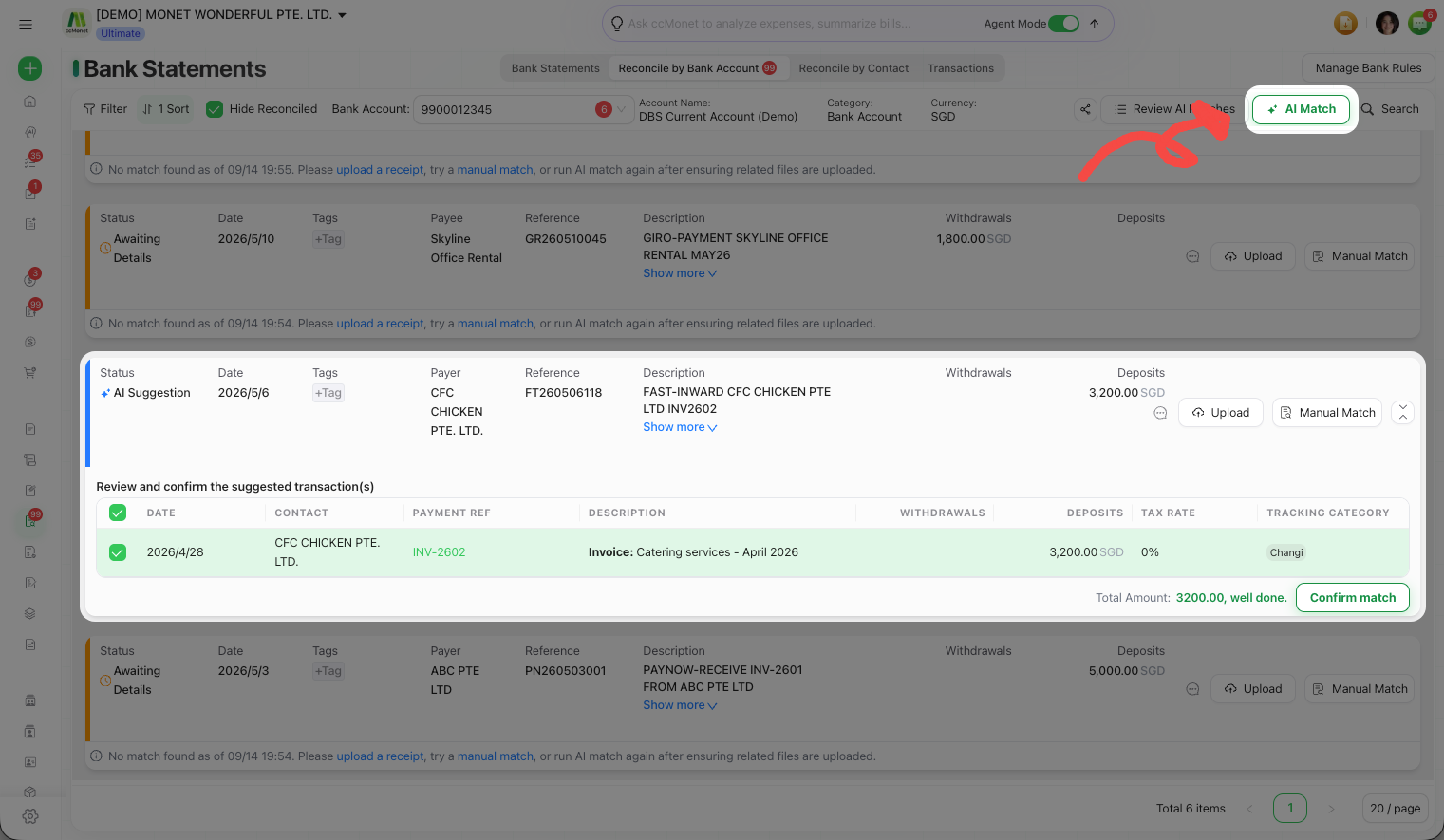
When AI Match can't find a match for a transaction, it shows an Awaiting Details state — with quick actions to upload a receipt, match it manually, or run AI Match again.
If a batch confirm is blocked
When you batch-confirm, CCMonet checks each match first. If some can't be confirmed (for example, amounts that no longer line up), it shows a validation summary listing which transactions need attention. Fix or deselect those, then confirm the rest.
AI Match only suggests — confirming is what posts the reconciliation to your ledger, exactly as a manual match would. Give suggestions a genuine review rather than confirming blindly, especially for large or unusual amounts.