Banking & Reconciliation
Fix a statement balance mismatch
Resolve balance warnings, gaps and duplicate transactions so your bank statements stay continuous.
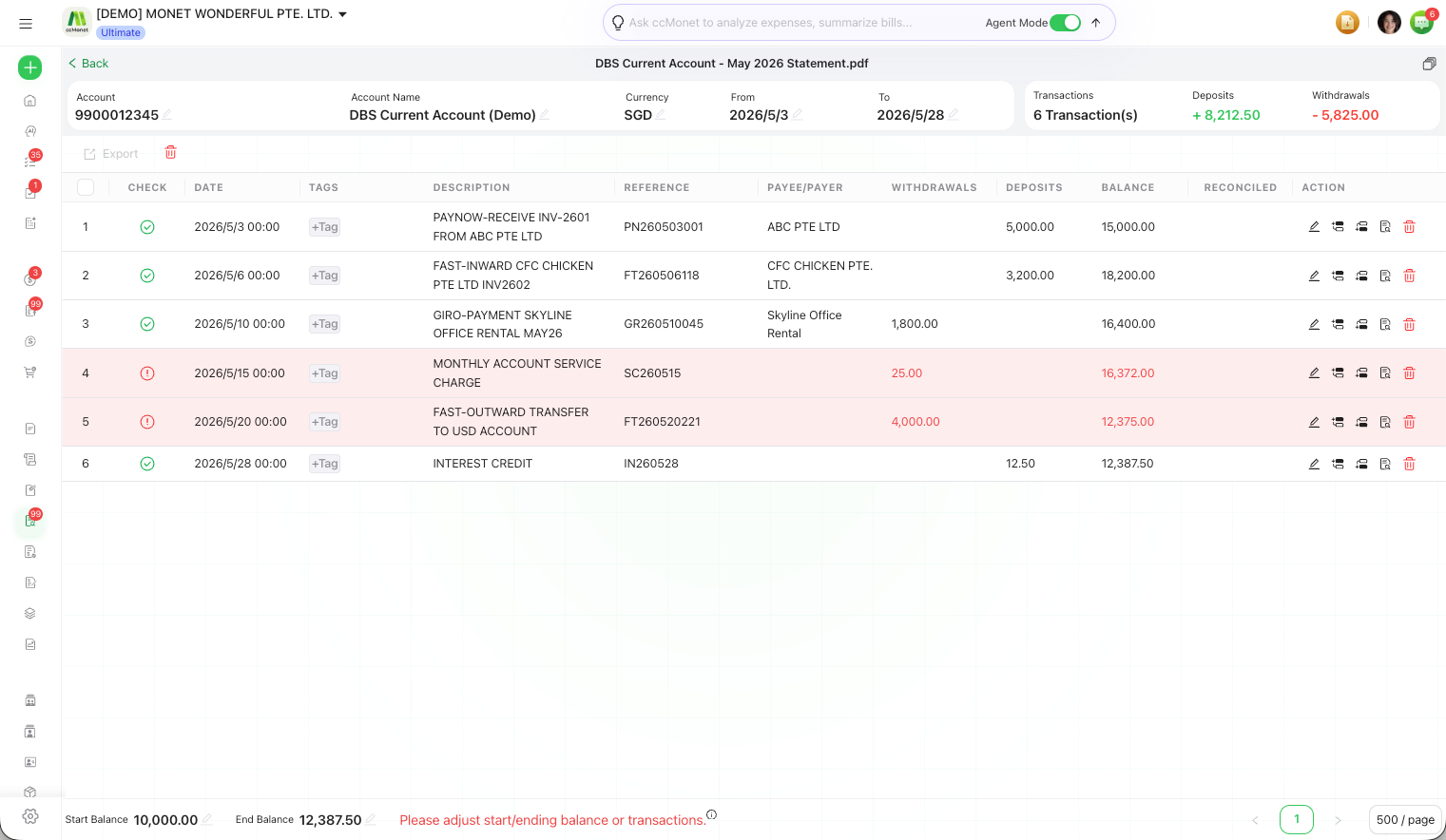
CCMonet checks that each statement's transactions add up between its opening and closing balance, and that consecutive statements join up without gaps. When something doesn't line up, you'll see a warning — here's how to clear the common ones.
Before you start
- You can open the statement from Finance → Bank Statements in the left sidebar.
Common warnings
Accounting note
These checks compare balances across statement boundaries to catch missing or duplicated transactions before you rely on the numbers. The balance-difference figure is a data-quality signal, not an accounting adjustment — don't invent a transaction to make it zero. If a real difference remains after your review, confirm the correct treatment with your accountant.
Related articles