Create a custom role with specific permissions
Build a role with granular per-module access and approval permissions, and understand the own-data vs full-access distinction.
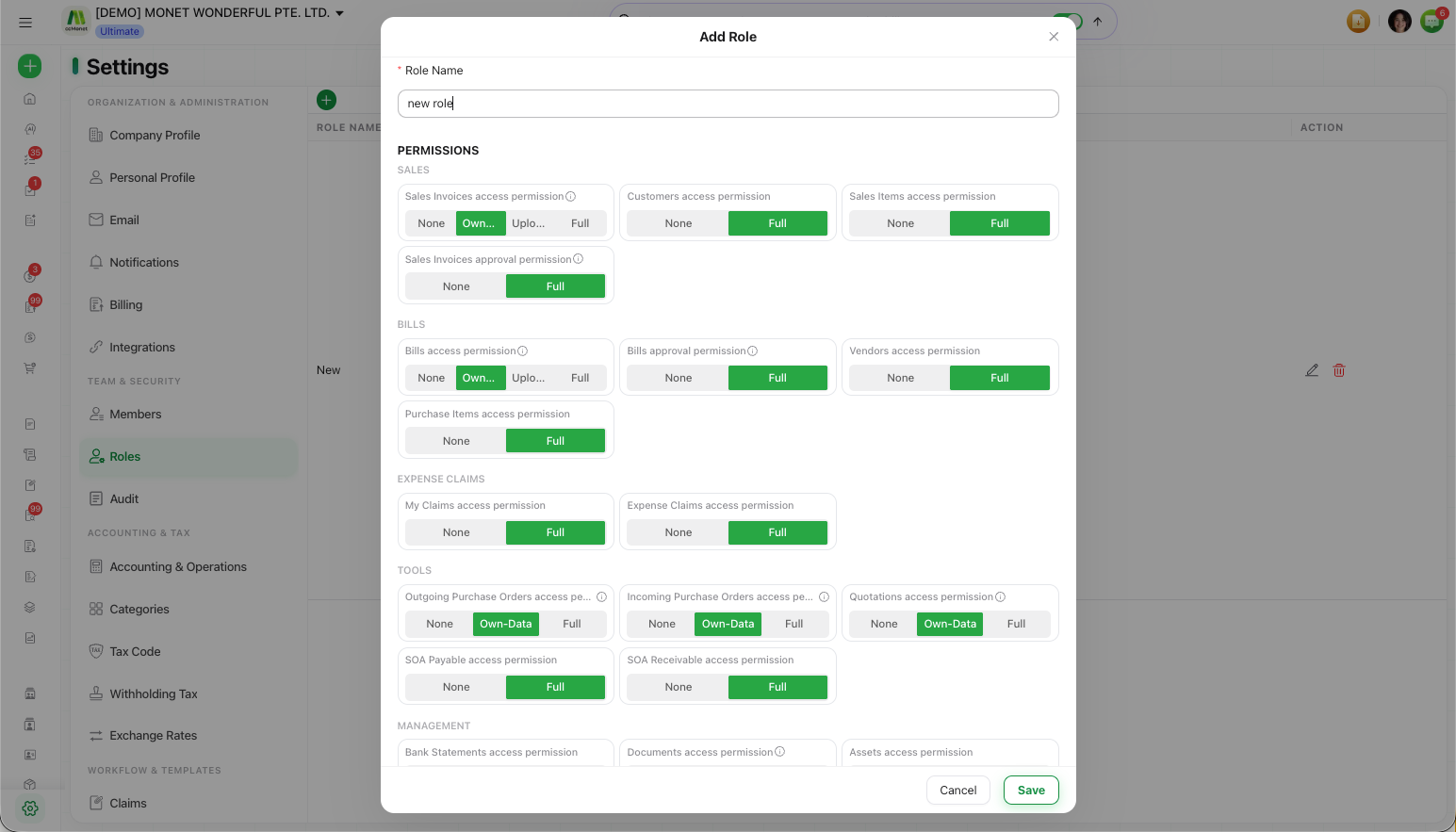
When the standard roles don't fit someone, build a custom role with exactly the access they should have — module by module, plus approval permissions. Custom roles are managed under Settings → Roles.
Roles are managed by the Owner or an Administrator.
Create a custom role
Open Roles
Go to Settings → Roles and select the green + button to open the role dialog.
Name the role
Give the role a clear Role Name so it's easy to assign later.
Set per-module access
For each module (for example Sales Invoices, Bills, Claims), choose the access level the role should have. Depending on the module the options are No access, Upload only, Own-Data access, or Full access.
Set approval permissions
Grant the approval permissions this role should carry, so members with the role can approve the documents they're responsible for.
Save
Save the role. You can now assign it to members from Settings → Members.
Access levels
Each module's access is set to one of these levels — so a role can have full access to one area and a narrower level in another:
- No access — the member can't see or use the module.
- Upload only — available on document modules (such as Sales Invoices and Bills), this lets the member add documents without full access to the existing records.
- Own-Data access — the member sees just the records they created (for example, an employee who should see only their own claims).
- Full access — the member sees every record in that module, regardless of who created it.
The key distinction for most roles is Own-Data access vs Full access — how much of a module a member can see.
Approval permissions decide who can approve a document — they work alongside your approval workflows, which set the steps a document goes through. A member being able to submit a document is separate from being able to approve it; make sure the role's approval permissions match the workflow you've set up.