Create email templates for sending documents
Customize the subject and body of the emails CCMonet sends to your customers and vendors for each document type, with variables and a live preview.
When you send a document from CCMonet — an invoice, a statement, a purchase order or a quotation — it goes out as an email. Email templates let you customize the subject and body of those emails for each document type, so they say what you want in your own voice. Changes take effect immediately for the organization.
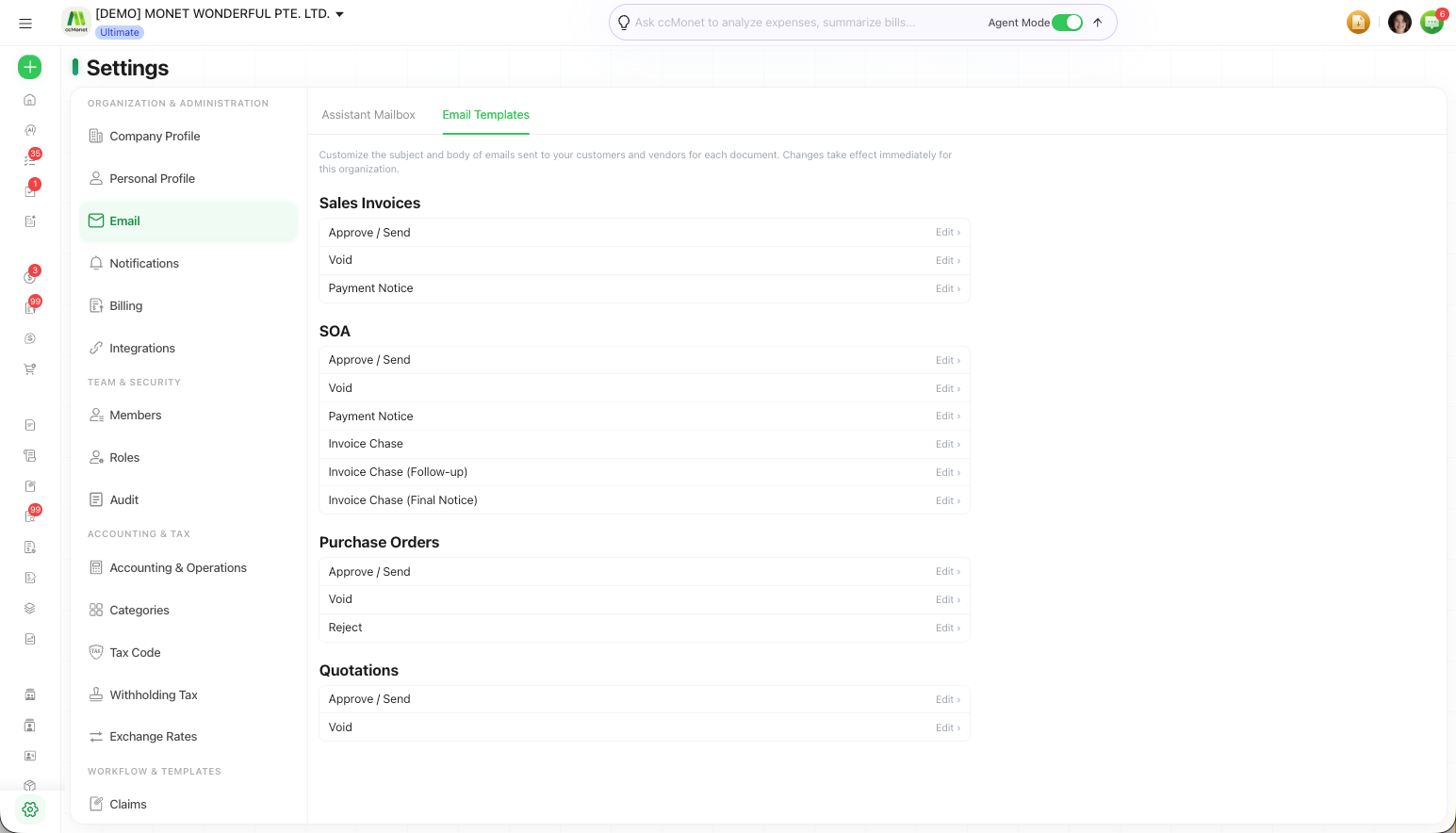
Templates live on the Email Templates tab under Settings → Email.
Only the organization Owner can edit email templates. Other roles see them read-only.
Customize a template
Open Email Templates
Go to Settings → Email and choose the Email Templates tab. Each document email — for example Approve / Send, Void, Reject, Payment Notice and the Invoice Chase reminders — has its own template.
Edit the subject and body
Open a template and edit its Subject and Body. Leave a template blank to use the system default.
Insert variables
Use Insert variable to drop in placeholders — such as invoice number, customer name, due date, amount due or your organization name — that are replaced with real data when the email is sent.
Preview and save
The Preview shows how the email looks with the fixed header and footer applied. Save when it reads the way you want.
The header and footer layout is fixed and applied automatically — you customize the subject and body, and CCMonet wraps them in the standard layout.