Set your functional currency and fiscal year end
Set the currency your books are kept in, your fiscal year end and transitional first year, and the organization-wide accounting controls on the Accounting & Operations tab.
These settings are the accounting foundation of your organization: the currency your books are kept in, when your financial year ends, and the organization-wide accounting controls that govern day-to-day bookkeeping. You'll find the currency and fiscal-year fields under Settings, and the accounting controls on the Accounting & Operations tab.
These are Owner-only settings.
Your functional currency is fixed once the organization is created and cannot be changed afterwards — every figure in your books depends on it. Confirm it when you first set up the organization, before you record any transactions.
Your functional currency and fiscal year
Functional currency (set at registration)
Your functional currency is the currency your books are kept in — CCMonet records and reports every transaction in it, converting foreign-currency amounts back to it. It's chosen when the organization is created and shown here read-only; it can't be changed afterwards.
Fiscal year end (set at registration)
Your fiscal year end — the month your financial year closes — is also fixed when the organization is created and shown here read-only. It defines the reporting periods used across your reports.
Manage your fiscal years
To change how your periods are cut — a short (transitional) first year, or an M&A / fiscal-cycle change — use the Fiscal Years schedule on the Company Profile tab: edit the end date of the latest fiscal year to make a short year (the first fiscal year cannot exceed 18 months), and later years realign to your standard year-end automatically. See Set up your company profile.
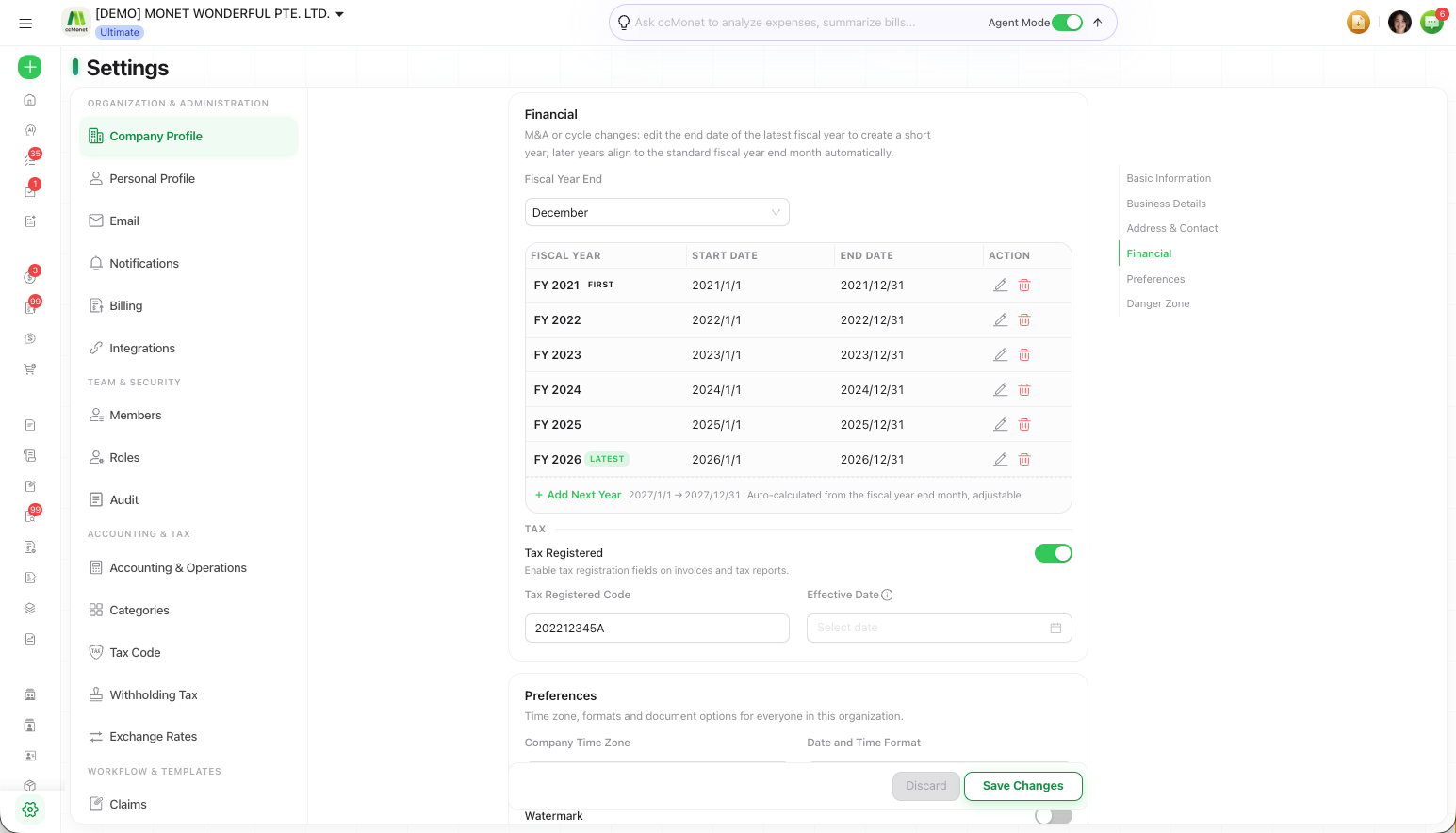
Under IFRS, your functional currency is the currency of the primary economic environment in which your entity operates — the one you mainly earn and spend cash in — not automatically the currency of the country you're registered in (IAS 21). Keep it distinct from your presentation currency, the currency statements are presented in. CCMonet keeps one base/functional currency per organization, which is why it's fixed at setup: changing the measurement currency later would break the comparability of everything recorded. Your fiscal year end sets the annual reporting period IAS 1 expects; a first period under or over 12 months (the transitional first year, up to 18 months) is allowed but is disclosed as an unusual length. The determination for your entity — and any local statutory/tax differences — is a judgment for your accountant.
Accounting & Operations settings
The Accounting & Operations tab holds organization-wide accounting controls that apply to your daily bookkeeping. These include, for example:
- a Lock Date that closes off periods so entries on or before that date can't be changed,
- the Depreciation Convention that controls when depreciation begins relative to an asset's acquisition date (for example, starting in the month of acquisition, or the month after), and
- bank reconciliation rules — such as whether a bill or invoice is required when reconciling expense and income transactions.
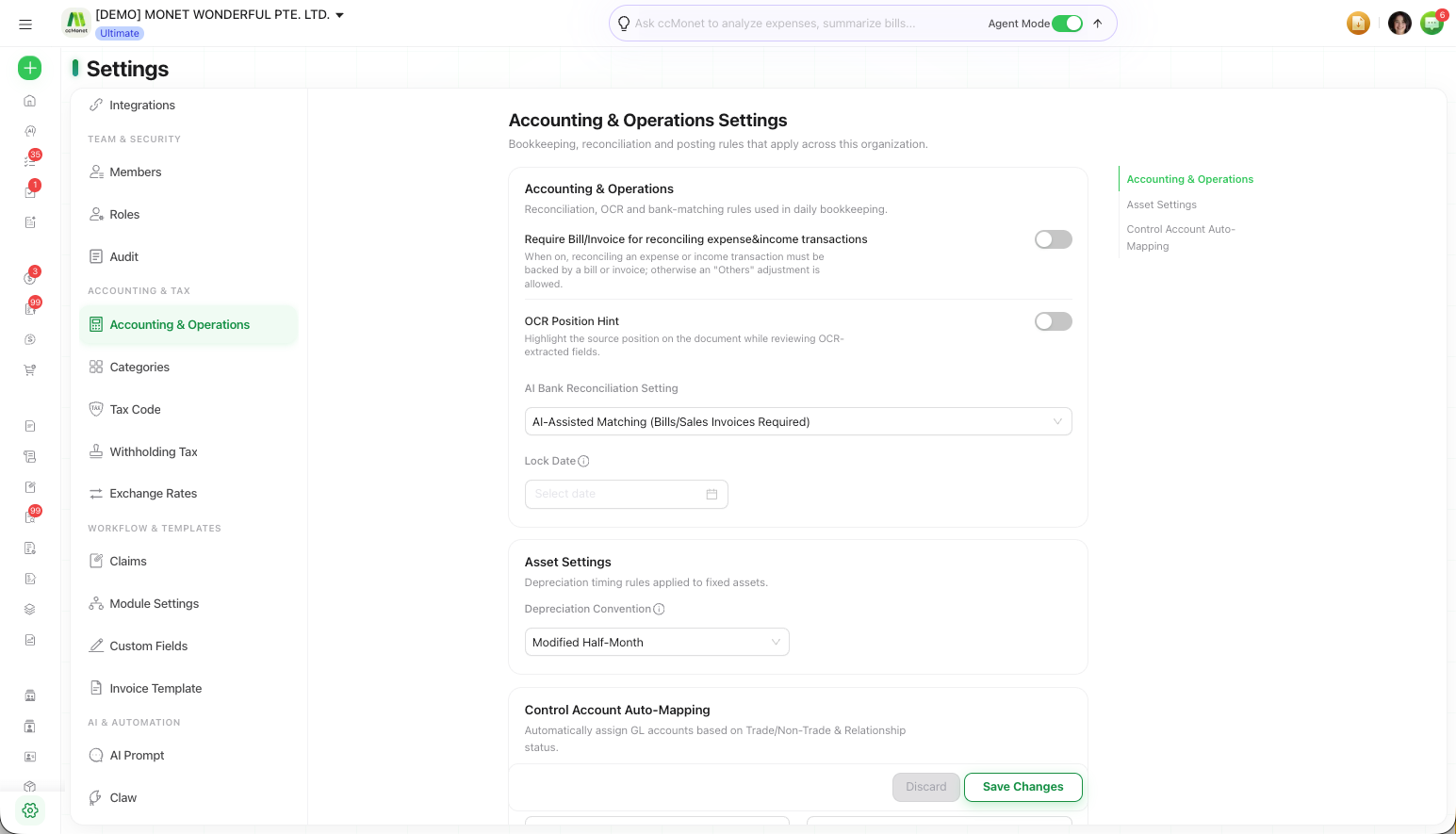
The lock date, depreciation convention and reconciliation rules are organization-wide controls with real effects on period close and on when depreciation is recognized (IAS 16 / IAS 38: depreciation runs over an asset's useful life from when it's available for use). CCMonet applies them for you, but the right values for your business should be confirmed with your accountant.