Review the operation trail (audit log)
See who changed what and when across your records, with field-level before-and-after detail, and export the audit log.
The operation trail is your organization's audit log — a record of who changed what, and when, across your records. It's where you go to see the history behind a change, with field-level before-and-after detail.
The operation trail lives under Settings → Audit.
The operation trail is visible only to true organization Owners.
Review the trail
Open the operation trail
Go to Settings → Audit.
Filter to what you're looking for
Filter the trail to narrow down the entries — for example by the person who made a change, or by time — so you can find the change you care about.
Open a change to see the detail
Open an entry to see the field-level detail of what changed — the before and after values for each field on the record.
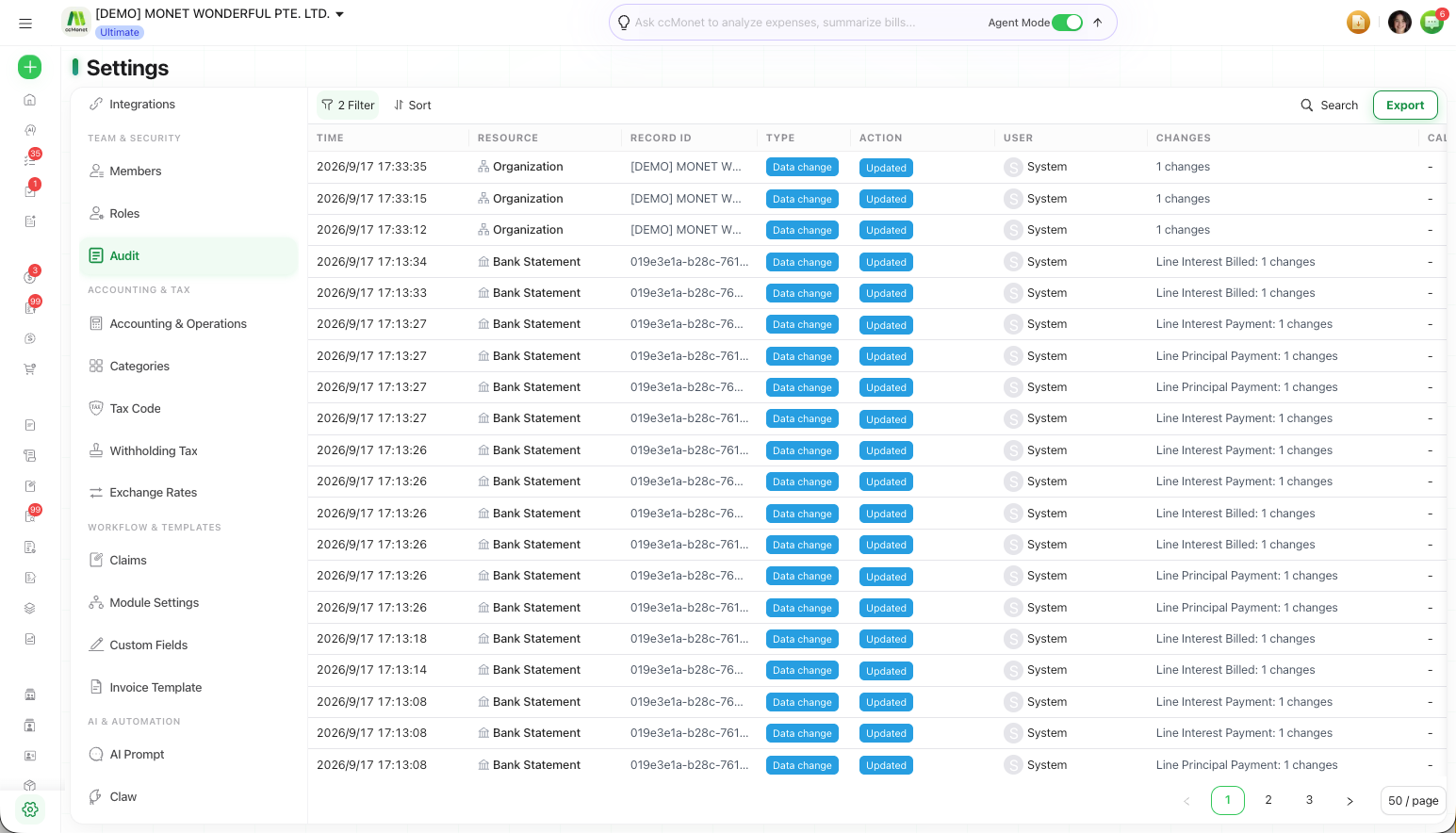
Export the log
To keep a copy or share it, export the operation trail. The export runs in the background; when it's ready, you collect the file from the export center.
Because it can include a full change history, the operation trail is restricted to organization Owners.