Set up your document email addresses
Use the email addresses CCMonet gives your organization to forward bills, sales invoices and personal expenses straight in for AI recognition.
CCMonet gives your organization dedicated email addresses you can forward documents to. Anything you forward is recognized by AI and recorded automatically — so a supplier bill that lands in your inbox can be in your books with a single forward.
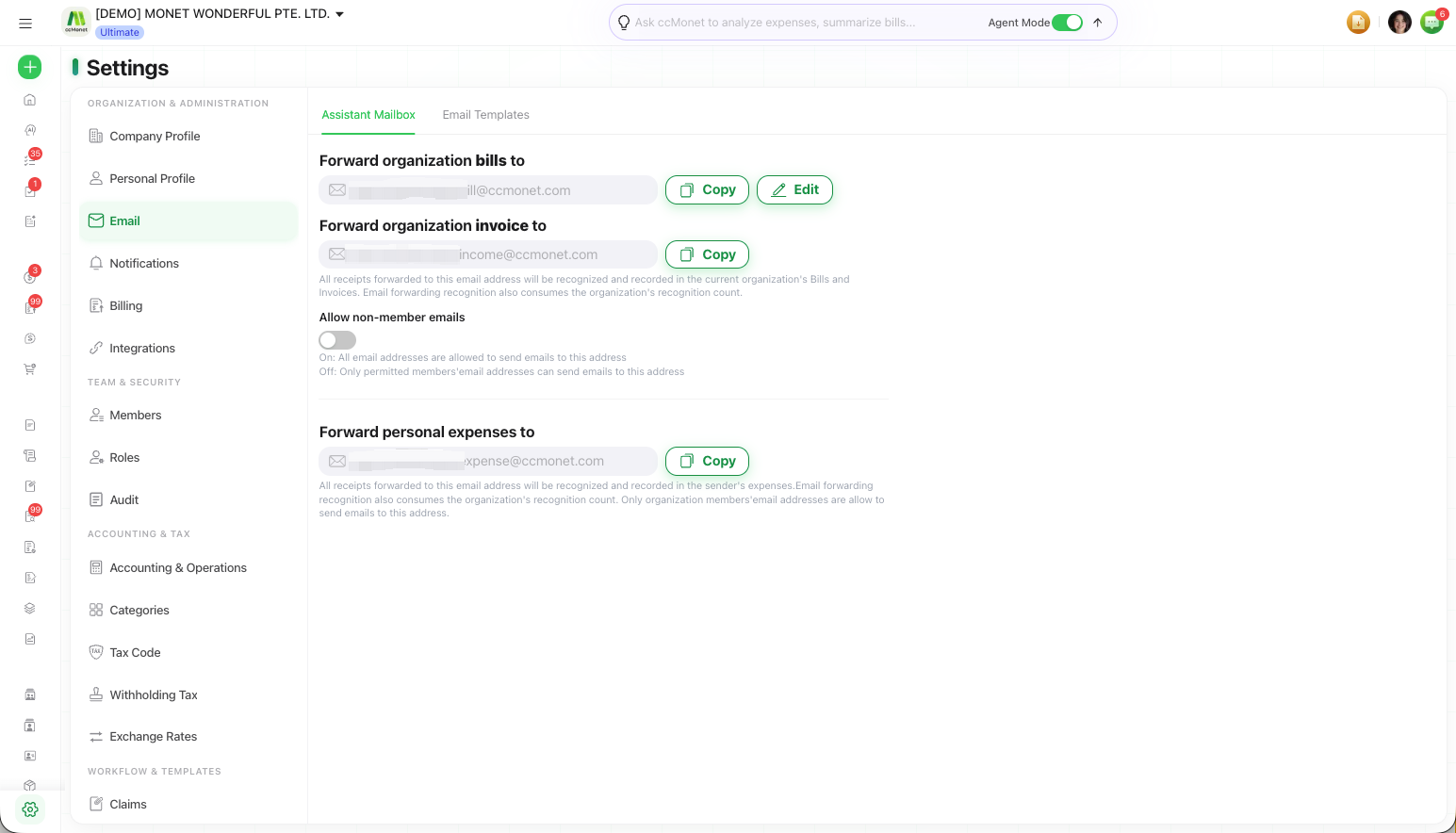
These live on the Assistant Mailbox tab under Settings → Email.
Your organization's email addresses are managed by the Owner.
Your organization's email addresses
You get separate addresses for different kinds of document:
| Address | Forward it… | Recorded as |
|---|---|---|
| Bill email address | Supplier bills | Bills |
| Invoice email address | Sales invoices | Sales Invoices |
| Expense email address | Personal expense receipts | The sender's own expenses |
Everything forwarded to a Bill or Invoice address is recognized and recorded in the organization's Bills and Invoices. The Expense address records into the sender's own personal expenses, and only organization members can send to it.
Forward a document
Copy the address
On Settings → Email, use Copy to copy the Bill, Invoice or Expense address you need.
Forward the document
Forward or send the document (PDF, image, etc.) to that address from your email client.
Find it in CCMonet
The forwarded document is recognized and recorded in the matching area — Bills, Sales Invoices, or the sender's expenses.
Control who can send
The Allow non-member emails switch controls who may send to your Bill and Invoice addresses:
- On — any email address can send to the address.
- Off — only permitted members' email addresses can send.
You can only change an email address once every 6 months, and the old address expires immediately after a change. Use only lowercase letters, numbers, dots and underscores; dots and underscores can't be at the start or end. Your Bill and Expense addresses share the same prefix.