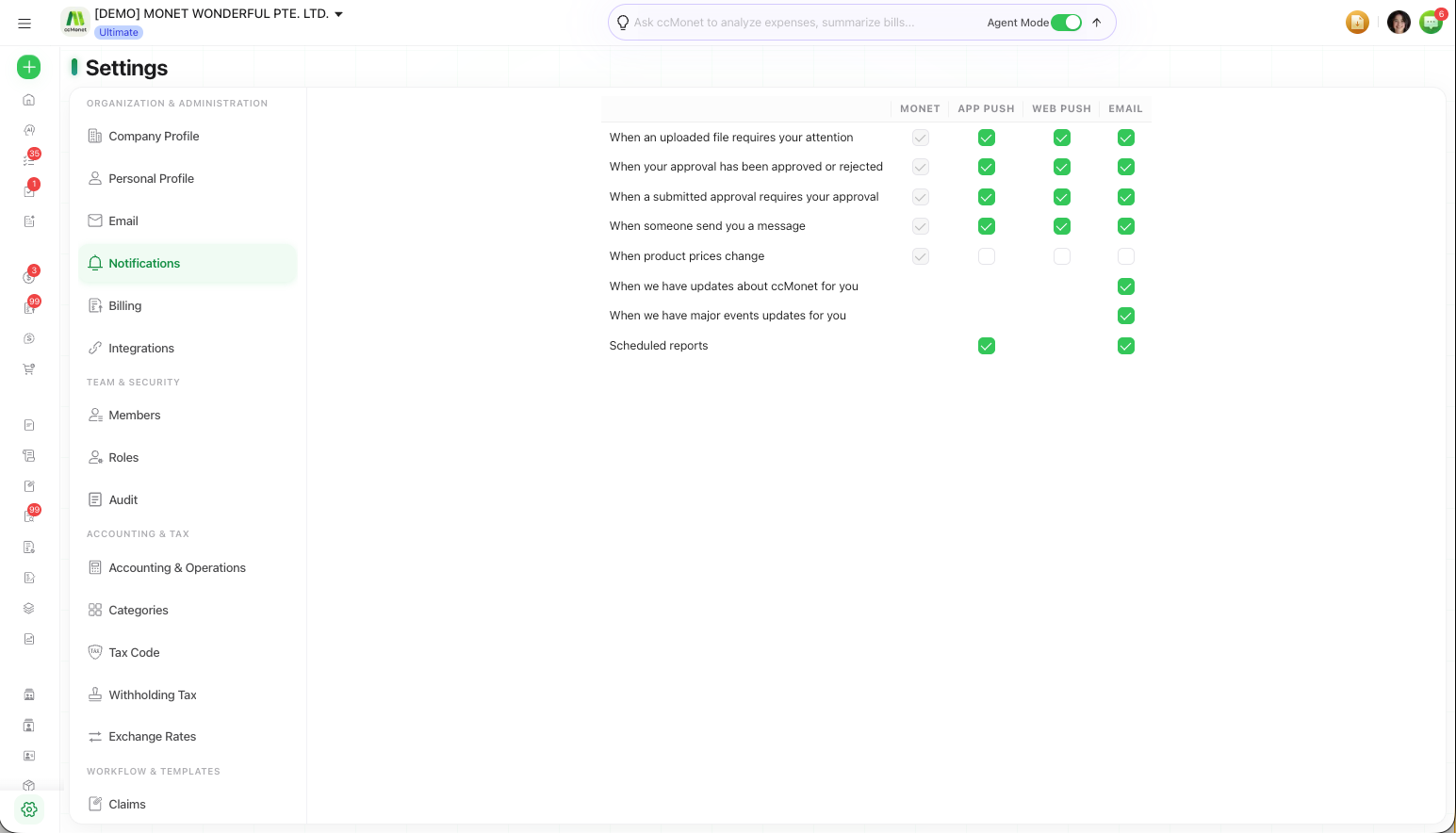
Manage your notification preferences
Choose which notifications you receive and through which channels — email, app push and web push.
Notifications keep you informed about what's happening in your organization — approvals waiting on you, reminders and important events. On this page you choose which notifications you want and how you'd like to receive them.
You'll find it under Settings → Notifications.
Notification preferences are available to every member, not just the Owner.
Set your preferences
Open Notifications
Go to Settings → Notifications.
Turn notification types on or off
Toggle the types of notification you want to receive, so you're alerted about what matters to you and not about what doesn't.
Choose your channels
For each type, choose how you're notified:
- App Push — to the mobile app
- Web Push — in your browser
In-app notifications (the Monet column) are always on for most types and can't be switched off — these are the extra channels you can add.