Browse individual purchase items
See purchases at the item level — individual lines with product name, vendor, category, unit price, quantity and tax.
Where Purchase Products shows each product aggregated into one row, Purchase Items shows the individual purchased lines — every item as it appeared on a bill. It's the view to use when you want the detail behind the totals.
What a purchase item shows
Each row is one purchased line, with details such as:
| Field | What it is |
|---|---|
| Product Name | The name the AI read for the item on the bill |
| Vendor Name | The vendor the item was purchased from |
| Category | The account category on the line |
| Unit Price | Price per unit on that line |
| QTY | How many were purchased |
| Item Total | The line total |
| Tax Rate | The tax applied to the line |
| Invoice Date | The date of the bill the line came from |
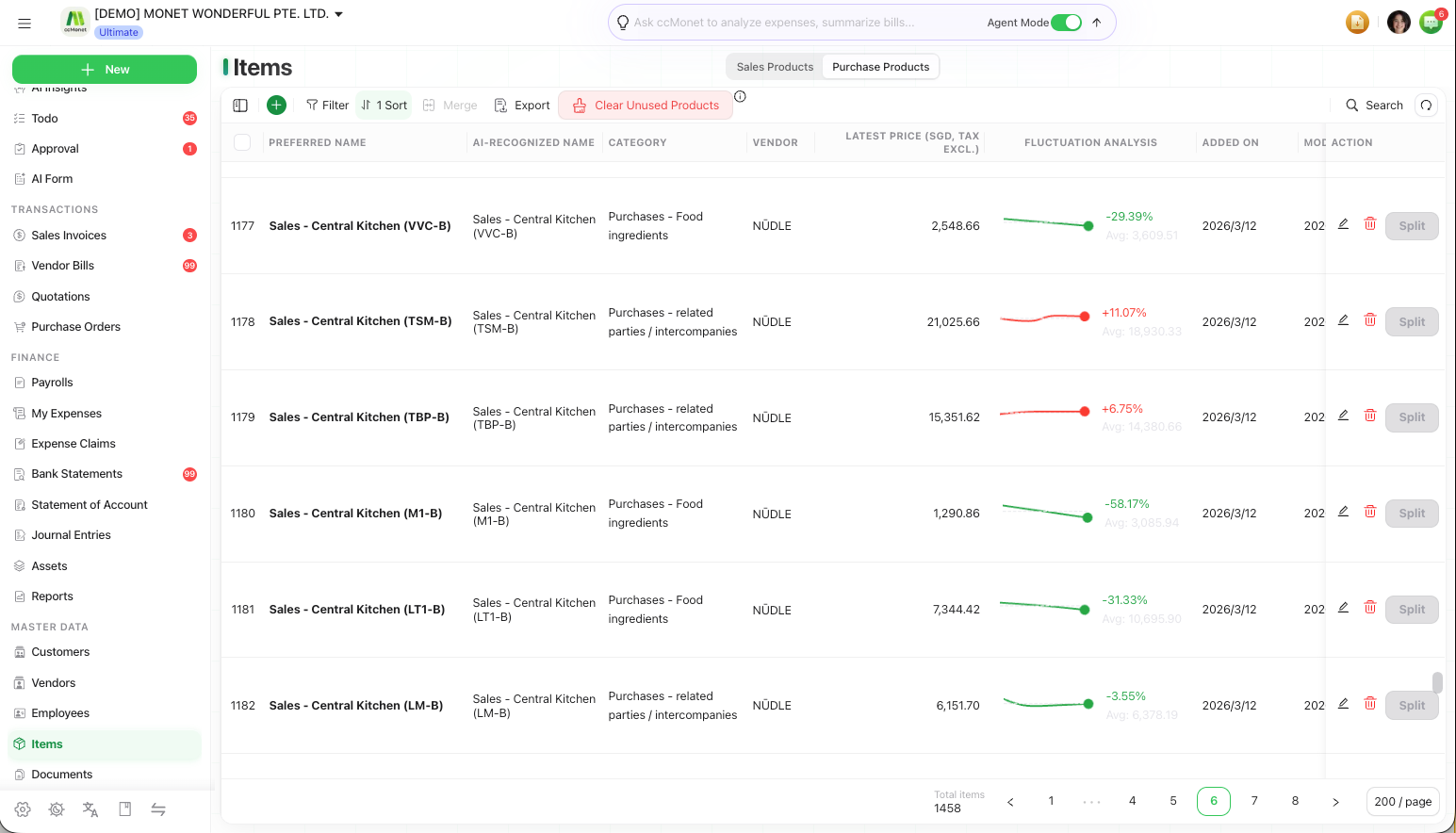
Preferred Name and preferred vendor
On an item you can set a Preferred Name (so different recognized spellings roll up to one product) and a Preferred Vendor. Setting a Preferred Name here feeds the same consolidation as in Purchase Products.
Purchase Items sits alongside Purchase Products rather than being a separate top-level page for every organization. If you don't see it directly, look for it as a view within the products area.