Submit and approve a bill
Send a bill through your organization's approval flow, and approve, reject, revoke or recall it.
If your organization requires sign-off before a bill is finalized, bills go through an approval flow instead of being confirmed directly. The person entering the bill submits it, an approver approves or rejects it, and it's confirmed once approved.
- An approval flow is set up for bills in your organization.
- You've reviewed the bill and its line items are complete.
Submit a bill for approval
Finish the bill
Make sure the vendor, dates, line items and categories are all correct.
Submit
On the bill, choose Submit for Approval (the same primary button reads Approve when no approval flow is set up). The bill moves into the approval flow and waits for an approver.
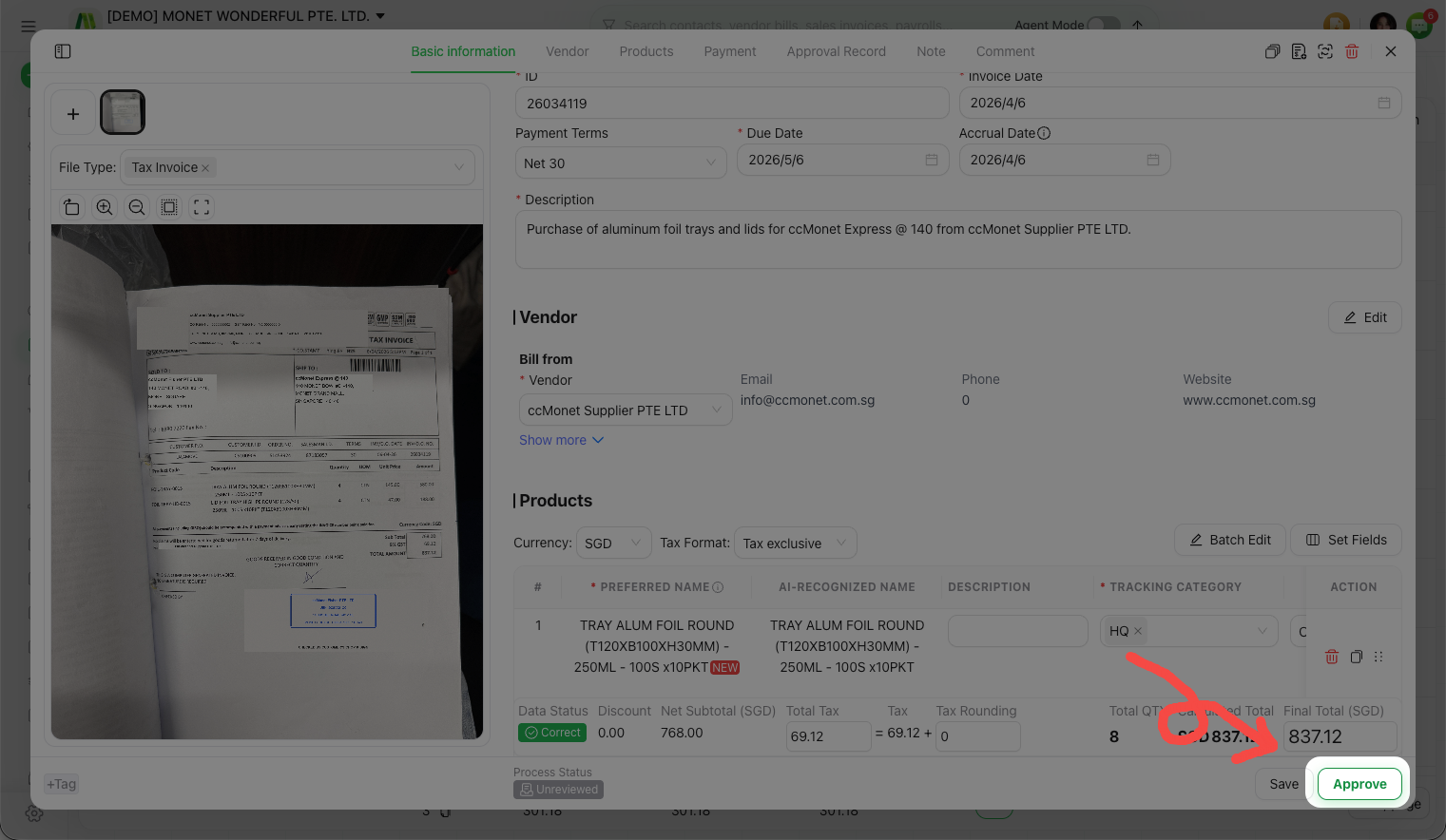
Approve or reject a bill
As an approver, open a submitted bill and decide:
- Approve — the bill is accepted and confirmed.
- Reject — the bill is sent back; the submitter can fix and resubmit it.
The bill records who acted and when in its approval record, so there's a clear history.
Revoke or recall a bill
- Recall — if you submitted a bill by mistake, you can pull it back out of the approval flow before it's approved, make changes, and submit again.
- Revoke — an approver can revoke a bill to reverse a decision or take it back out of an approved state.
The exact actions available depend on where the bill is in the flow and your role. If you don't see Recall or Revoke, the bill may already have moved to the next stage.