Handle withholding tax when paying a bill
Record withholding tax on a bill payment so the amount you pay the vendor and the tax withheld are captured.
Some payments require you to withhold tax — you pay the vendor a reduced amount and remit the withheld portion to the tax authority. When you record the payment, ccMonet lets you capture the withholding so both parts are recorded.
- You're recording a payment on a confirmed bill.
- You know the withholding rate or amount that applies to this payment.
Record withholding tax
Add the payment
Start recording the payment on the bill as usual.
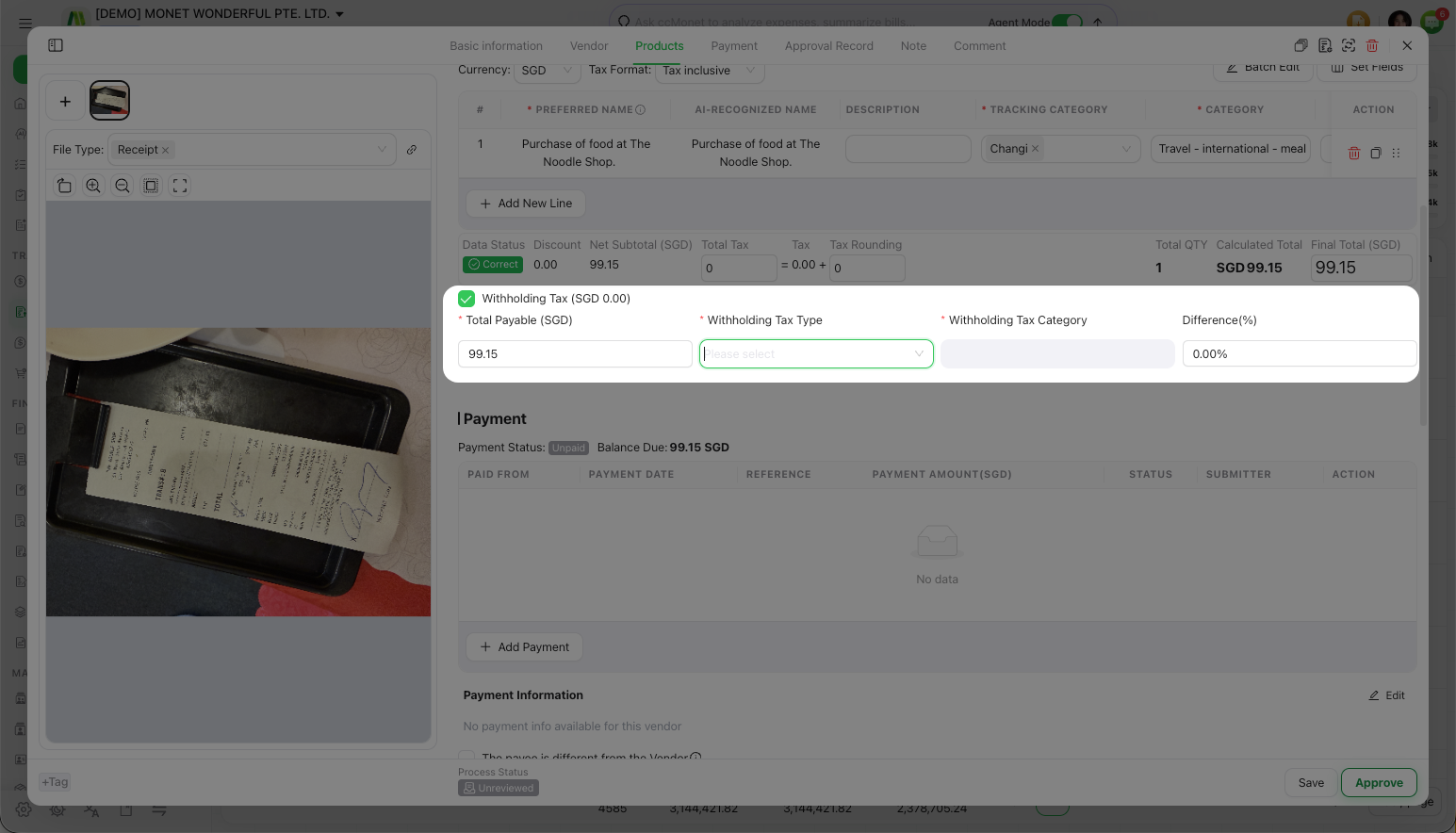
Enter the withholding tax
Open the Withholding Tax option on the payment and enter the applicable withholding — choosing the Withholding Tax Type and Withholding Tax Category that apply. ccMonet captures the tax withheld alongside the amount actually paid to the vendor.
Save
Save the payment. The withheld amount and the amount paid are both recorded against the bill.
Withholding tax has specific accounting and tax consequences: the withheld portion is a liability you owe the tax authority, and the rate, thresholds and reporting depend on your jurisdiction and the nature of the payment. ccMonet records the withholding you enter; the correct rate, whether withholding applies, and how it is reported and remitted are tax matters to confirm with your accountant or tax advisor. Do not rely on this manual for the amounts.