Store a vendor's bank/payment details
Save a vendor's bank and payment details, and payment proxies, so remittances go to the right place.
Storing a vendor's payment details — their bank account and how you pay them — means those details are ready whenever you raise a payment request or record a payment, and you're not chasing bank details each time.
- The vendor exists in your directory.
Add payment details to a vendor
Open the vendor's payment info
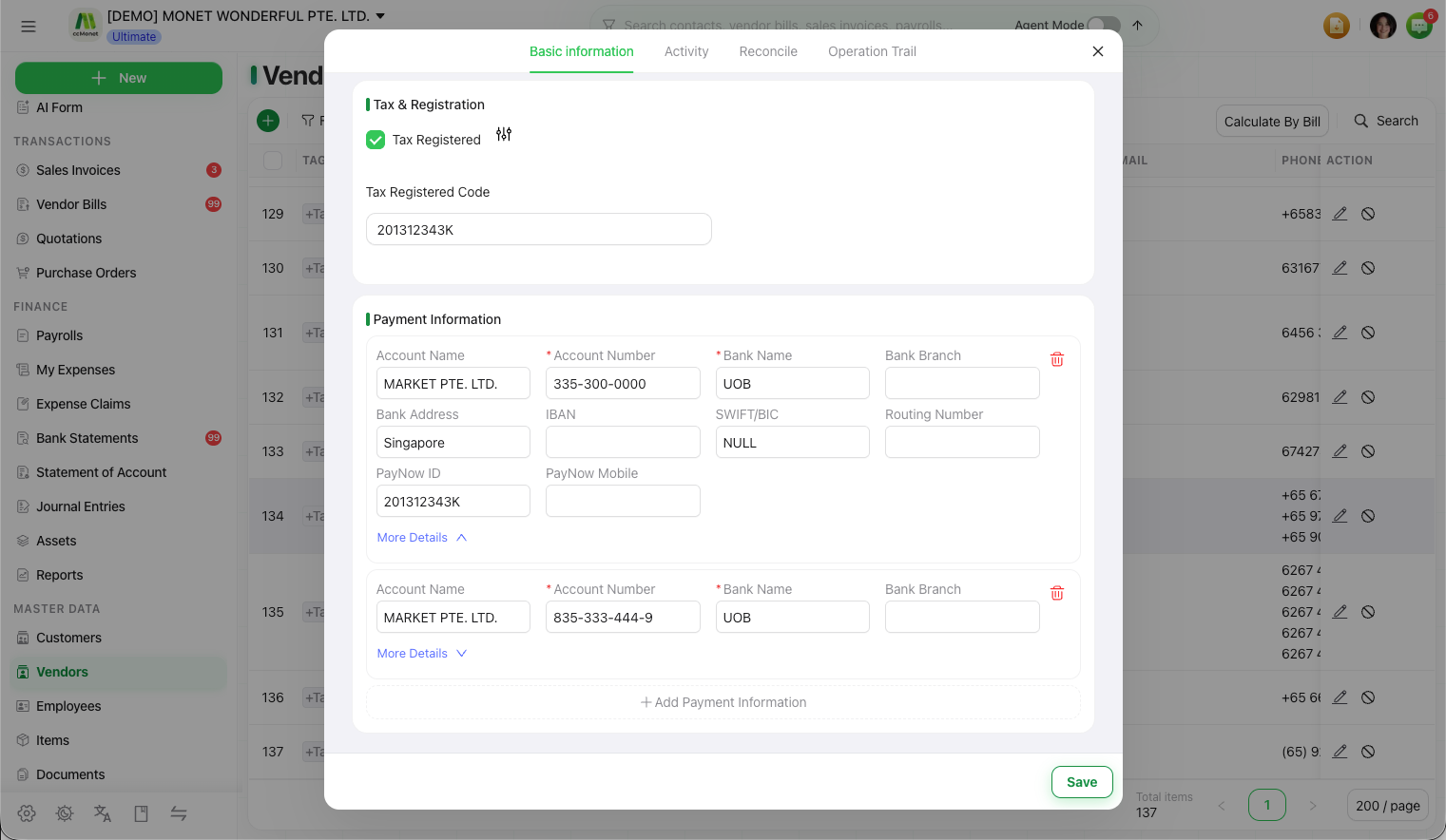
On the vendor, open the Payment Info section and choose Add Payment Info.
Enter the bank details
Record the vendor's bank/payment details. A vendor can have more than one set of payment details.
Save
Save. The details are now available when you pay this vendor or build a remittance.
Payment Proxies
A vendor can have one or more Payment Proxies — a party you actually pay on the vendor's behalf. Add a proxy when the remittance should go to a different account than the vendor's own.
Payment details are sensitive. Enter them from information the vendor gave you directly, and double-check the account number before you remit — a wrong digit sends money to the wrong place.