Manage my expenses and claims
Your personal hub — upload expenses, group unclaimed ones into a claim, track your claims and recover deleted expenses.
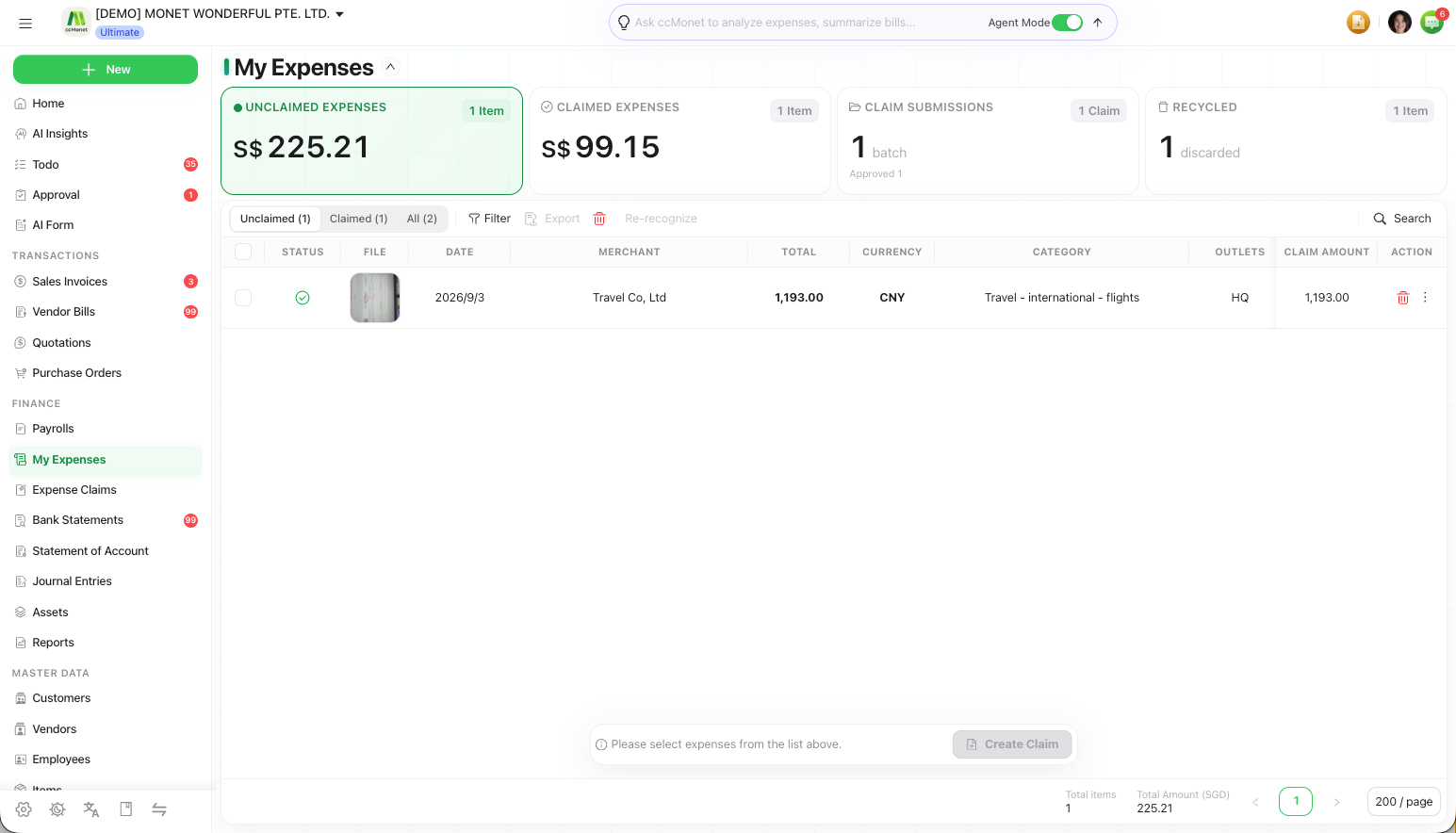
My Expenses / My Claims is your personal space for the expenses you incur and the reimbursement claims you make. You upload receipts, group the unclaimed ones into a claim, and track where each claim stands — with a KPI summary across the top.
Open it from the left sidebar under Finance → My Expenses.
Find your way around
The page has segmented tabs:
- Expenses — your expenses, filtered by Unclaimed, Claimed or All.
- My Claims — the claims you've created and their status.
- Recycle Bin — expenses you've deleted, which you can restore.
Upload a personal expense
Add the receipt
On the Expenses tab, upload your expense receipt. AI reads it just like a bill and creates the expense.
Check the details
Open the expense to correct anything and make sure the amount and date are right.
Group expenses into a claim
Select unclaimed expenses
On Unclaimed, select the expenses you want to be reimbursed for.
Create a claim
Choose Create Claim to group them and submit for reimbursement. The expenses move to Claimed.
See Create and submit an expense claim for the claim approval flow.
Track your claims
The My Claims tab shows each claim you've submitted and where it is — awaiting approval, approved, paid — so you can see when to expect reimbursement.
Recover a deleted expense
Deleted an expense by accident? Open the Recycle Bin, find it, and restore it back to your expenses.