Pay an approved expense claim
Record payment of an approved expense claim so the employee is reimbursed and the claim is marked paid.
Once a claim is approved, you reimburse the employee and record that payment against the claim so it's marked as paid.
- The claim has been approved.
Record the payment
Open the approved claim
On the Expense Claims list, open a claim that's ready to pay.
Enter the payment details
Record the payment — the date, the amount, and the account it's paid from.
Save
Save. The claim is marked paid.
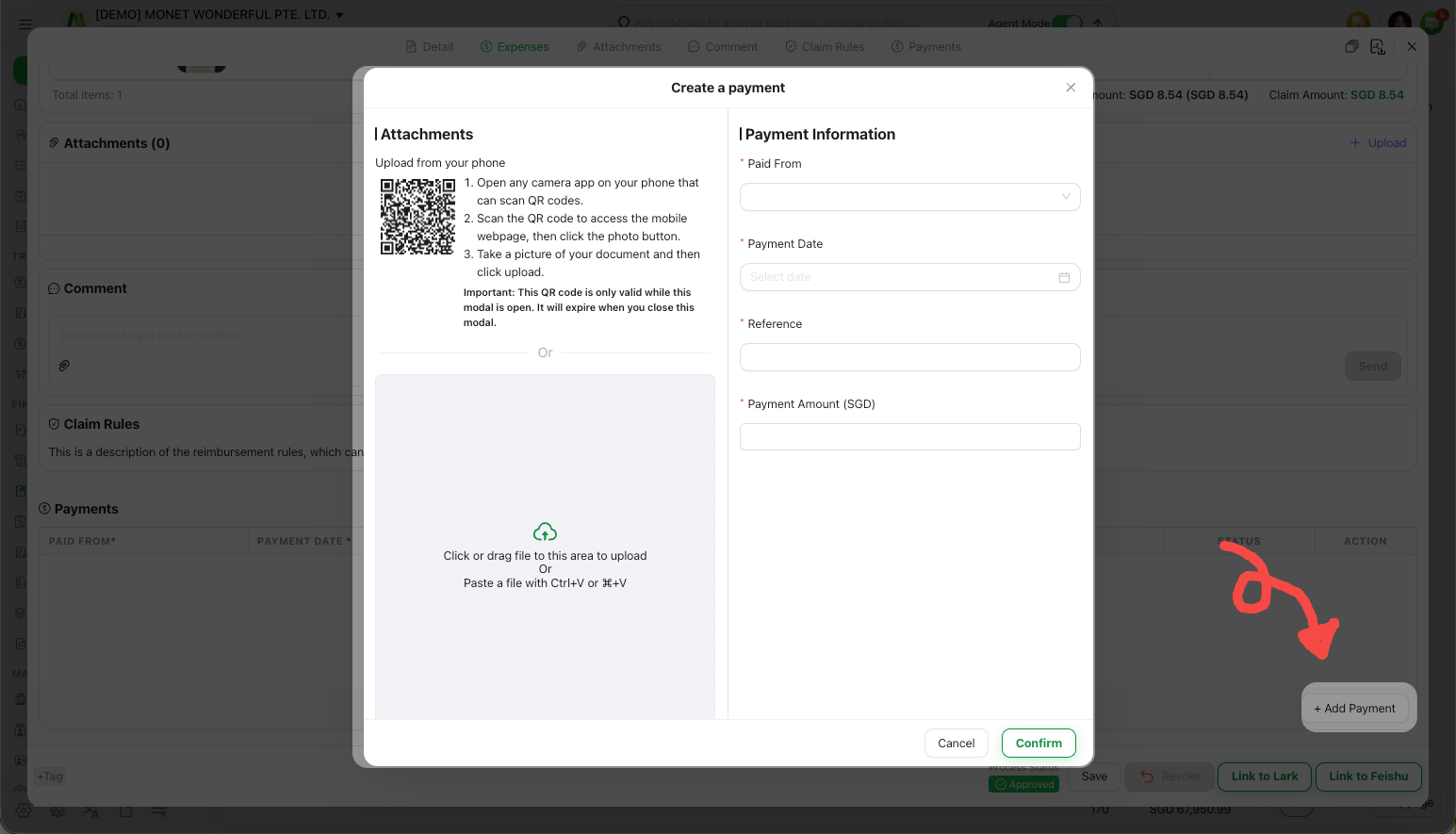
Paying a claim records a payment from the account you choose and settles what the company owes the employee. Which account the reimbursement is paid from, and how it's reflected in your books, affect your ledger — this manual shows how to record the payment; confirm the accounts with your accountant, and reconcile the payment against your bank statement when it clears.