Merge, import and clean up vendors
Merge duplicate vendors, import vendors in bulk, and clear out unused ones to keep your directory tidy.
Over time a vendor directory picks up duplicates and entries you no longer use — especially when AI capture creates a vendor from a bill. These tools keep it clean: merge duplicates, import a list in bulk, and clear out the unused.
Merge duplicate vendors
When the same supplier exists twice, merge them into one so their bills and history combine.
Select the duplicates
Pick the vendors that are really the same supplier.
Merge
Choose Merge and pick which vendor to keep. The others' bills and activity move onto the one you keep.
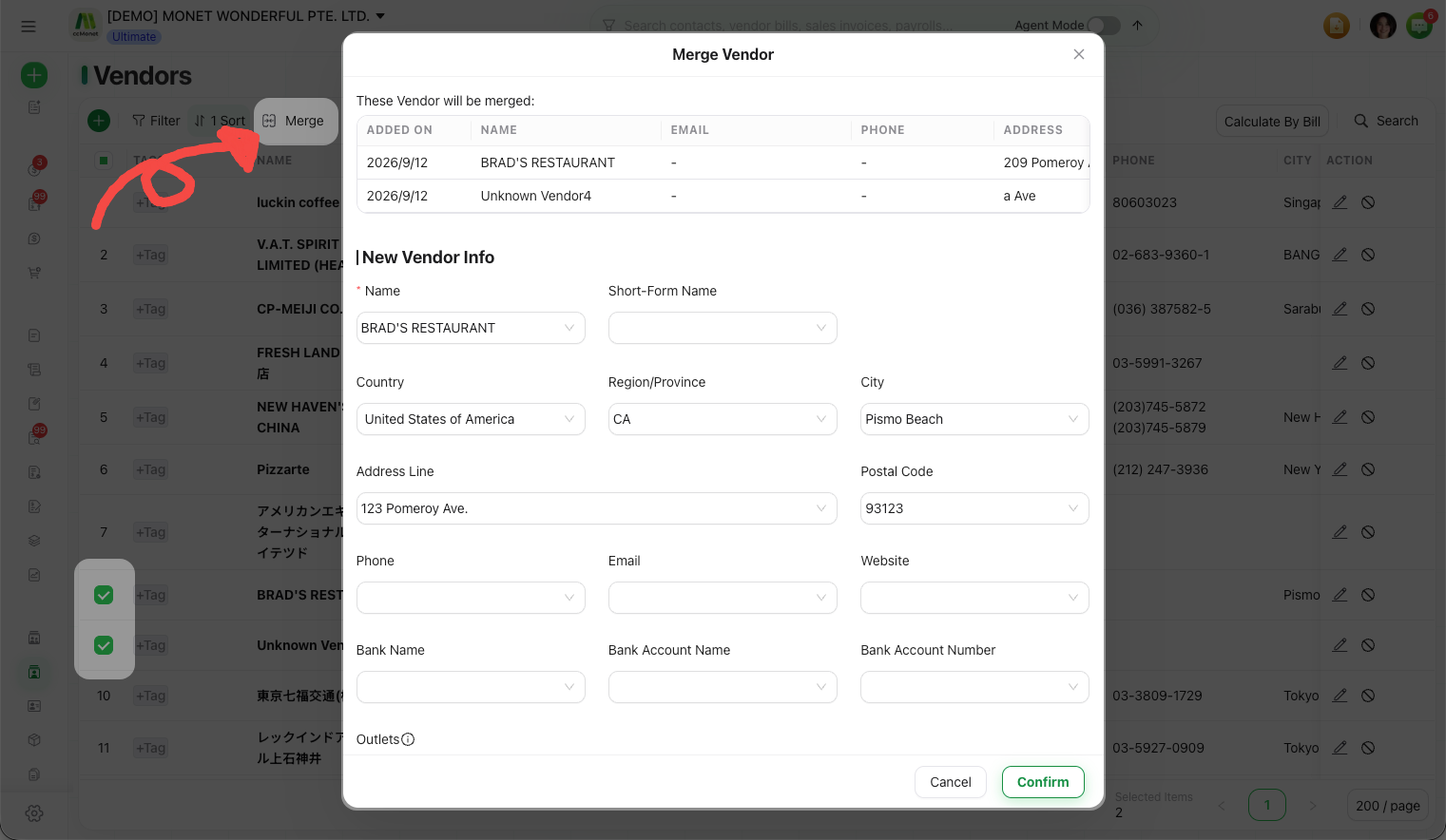
Merging combines records and can't be undone with one click. Make sure the vendors really are the same supplier before you merge.
Import vendors in bulk
To add many vendors at once — for example when setting up — use the master data import to bring in a list rather than typing each one.
Open the import
On the Vendors page, open the bulk import.
Provide your list
Follow the import format to upload your vendors, then review and confirm the import.
Clear unused vendors
Remove vendors you've never used in one pass with Clear Unused Contacts, so the directory only holds suppliers you actually deal with. Vendors with bills or history are kept.