Create and track payment requests
Batch several outstanding bills into one remittance request, confirm the vendor payee, submit for approval and track it.
A payment request (remittance) bundles several outstanding bills into one request to pay — so instead of handling each bill separately, you assemble a batch for a vendor, get it approved, and pay them together.
- The bills you want to pay are confirmed and outstanding.
- The vendor has payment details saved.
Create a payment request
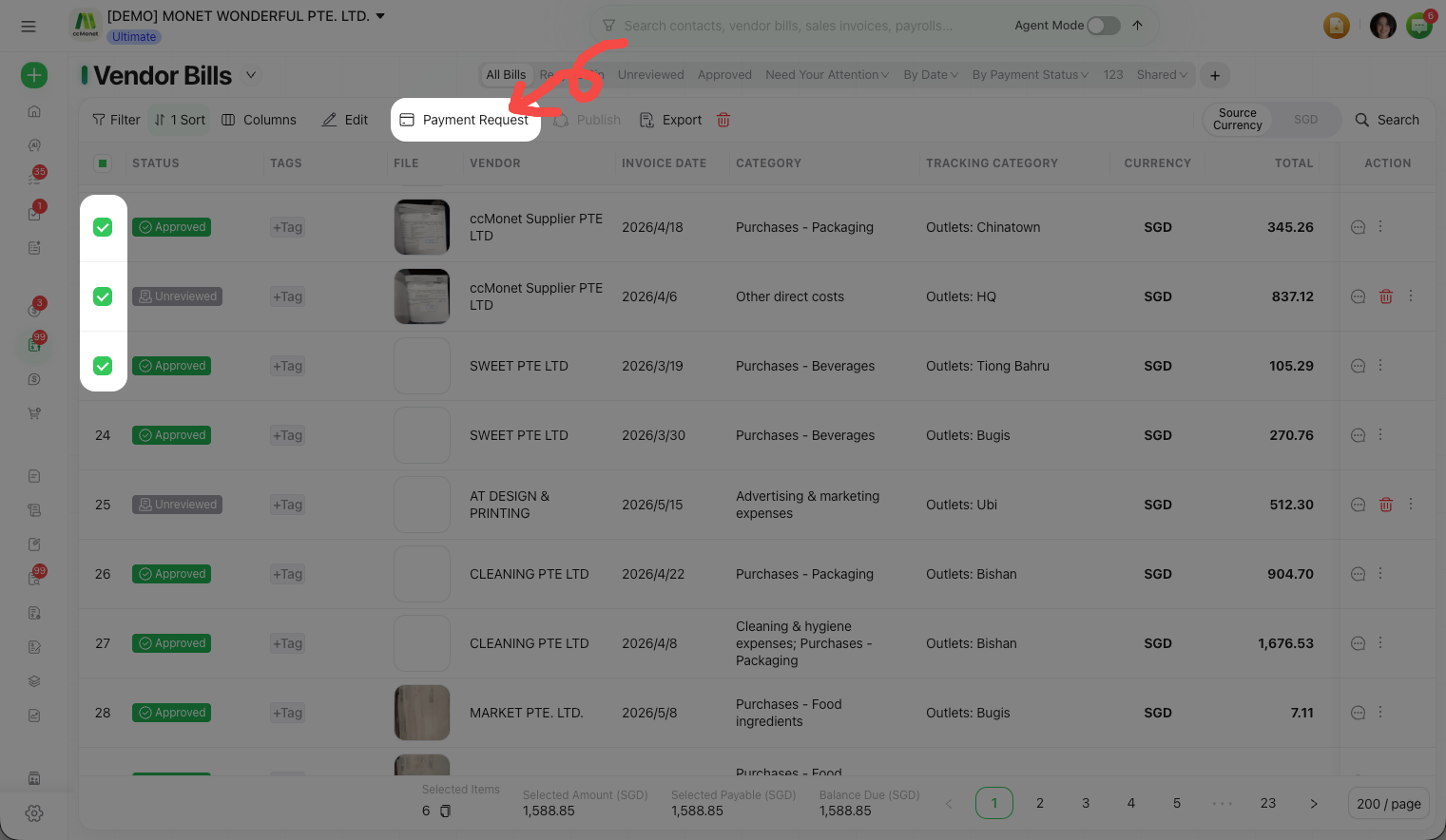
Select the bills to pay
Choose the outstanding bills — for one or more vendors — that you want to include.
Confirm the payee details
For each vendor, confirm the payee (bank) details the remittance will go to. Add or edit them if needed.
Enter the requested amounts
Set the Requested Amount for each bill (for example, to pay a bill in part).
Attach supporting documents
Attach any supporting documents the request needs.
Save and submit
Choose Save and Submit. The payment request is sent for approval and shows as Under Review.
Approve and track
A submitted request waits for approval, then moves to Approved. Track each request's state so you know what's still pending and what's been approved for payment.
A payment request organizes which bills to pay and to whom; how an approved request ultimately settles and posts against the underlying bills — reducing what you owe and recording the payment — affects your ledger. This manual covers how to build, submit and track a request; the settlement and posting behavior for your setup is best confirmed with your accountant.